

[navigation]
Key takeaways
- Camera enablement is the growth lever in conferencing: VROOM lifted monthly active users by 30% and sign-ups by 54% after adding Banuba's virtual backgrounds and face touch-up.
- Banuba Face AR SDK runs face tracking and AR effects fully on-device, so no video frame leaves the user's phone or laptop, addressing the privacy concern that keeps professional users in voice-only mode.
- Banuba's virtual webcam features, including background replacement and face touch-up, run at a minimum of 30 FPS on a standard 1280x720 camera across iOS, Android, Web, Flutter, React Native, and desktop.
Why do conferencing apps lose users to camera anxiety?
Two things push people to shut the camera off: they do not want their room on screen, and they do not like how they look on a low webcam. Both are avoidable. Virtual backgrounds hide the room and protect privacy, and beauty filters even out skin and lighting so people feel comfortable being seen. When those features are missing, users default to voice-only, engagement drops, and the app looks interchangeable with every other calling tool.
This is where AR effects become a differentiator rather than a novelty. Banuba's AR conferencing toolkit gives a conferencing product the same background, touch-up, and mask features that users already expect from social apps, without the multi-year computer vision build that would normally be required to ship them.
How does Banuba's Face AR SDK help conferencing apps stand out?
Banuba Face AR SDK covers the full set of conferencing effects in one integration. Background removal replaces everything but the person with an image, GIF, or video, so users control what the call sees. Beauty filters remove skin imperfections and apply light virtual makeup to cut camera anxiety. Multi-face tracking applies effects to several participants at once in group calls, and 3D masks and avatars add the playful, privacy-preserving options that suit casual and dating use cases.
Two product facts matter for a conferencing team weighing the build. First, Banuba's virtual webcam features run at a minimum of 30 FPS on a recommended 1280x720 camera, which keeps backgrounds and touch-up smooth during live calls rather than stuttering. Second, everything runs on-device: there is no cloud round trip, which is the privacy commitment that enterprise and telehealth buyers ask for most often.

What does the integration take?
The SDK ships with ready-made video-call sample apps for Android, iOS, and Web, plus Agora and OpenTok integrations, so most of the plumbing between the camera, the effects layer, and the transport is already written. Teams start from the Face AR SDK documentation and drop the effects pipeline into an existing call stack rather than rebuilding it.
Footprint is worth checking early because it affects app download size. The Banuba Face AR SDK base size is around 15 Mb and depends on the feature set you enable, so a conferencing app that only needs backgrounds and touch-up ships lighter than one bundling every mask and avatar. Banuba publishes the exact figure in its minimum Face AR SDK size FAQ.
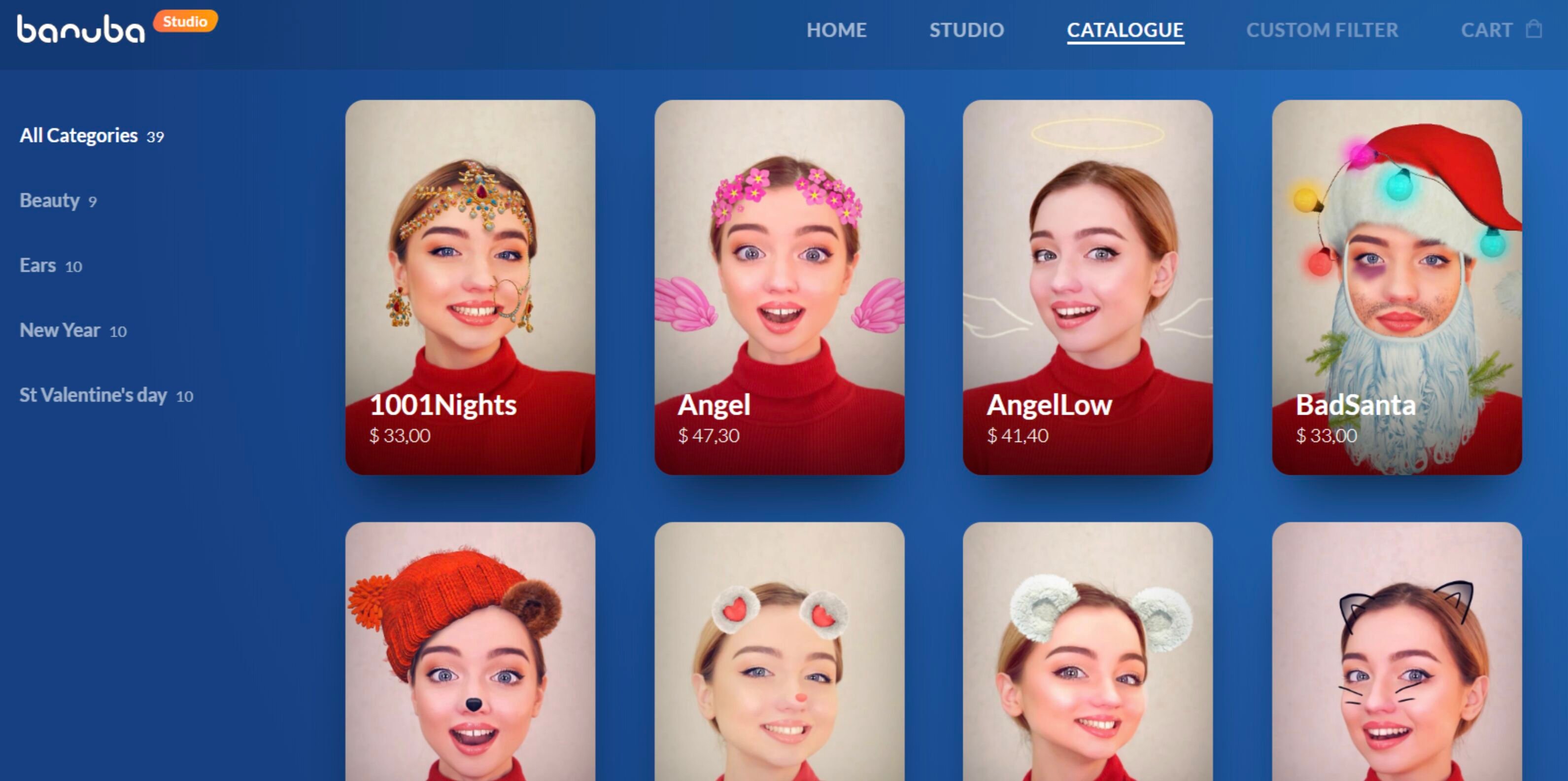 Banuba's AR effects examples in the catalogue
Which conferencing apps already ship AR effects with Banuba?
VROOM, built by True Digital Group, is the clearest example: after integrating Banuba's virtual backgrounds and face touch-up, the video conferencing app gained 30% more monthly active users and 54% more sign-ups. The same real-time pipeline extends beyond boxed video calls too. A live-streaming app built with Amazon IVS and Banuba Face AR SDK uses the same on-device effects layer to add filters and backgrounds to broadcast video, which shows the SDK holds up under continuous real-time load, not just short meetings.
Ready to differentiate your conferencing app?
Get a free trial of Banuba's AR conferencing SDK and add virtual backgrounds, beauty filters, and AR masks to your video calls.
-
No. Banuba Face AR SDK runs face tracking and all AR effects on-device, so no video frames are sent to a server. That on-device design is why privacy-sensitive conferencing and telehealth teams can adopt Banuba Face AR SDK without a cloud dependency.
-
Yes. Banuba's SDK supports multi-face tracking in live video, applying filters and touch-up to several faces at once, limited only by device performance. It is built for group calls, as in Banuba's Bermuda video chat case, not just one-on-one.
-
Banuba Face AR SDK covers iOS, Android, Web, Flutter, React Native, and desktop, and ships an Agora integration for the leading calling and streaming platform, so it fits most existing conferencing stacks without a rewrite.
-
Banuba's virtual webcam features run at a minimum of 30 FPS on a standard 1280x720 camera, so backgrounds and touch-up stay smooth during live video. The Face AR SDK documentation lists the full device requirements.
-
They can. When VROOM added Banuba's virtual backgrounds and touch-up, it saw 30% more monthly active users and 54% more sign-ups, because higher camera enablement lifts engagement.
