Virtual Try-On Plugin for Shopify by Banuba
Banuba TINT is a virtual try-on engine for web and mobile e-commerce covering makeup, hair color, glasses, jewelry, and accessories, with add-to-cart rates above 30% and 600%+ engagement lift in production deployments. Banuba's virtual try-on plugin for Shopify puts it in your store with no code: makeup, skincare, glasses, and hair color.
Built for Shopify

Why choose Banuba's virtual try-on plugin for Shopify?
-

Higher add-to-cart conversions
Océane, a Brazilian beauty brand, lifted add-to-cart from a 3% industry average to 32% with Banuba TINT virtual makeup try-on.
-
Lower return rates
Shoppers who see a shade on their own face before buying send fewer products back, with up to 60% lower returns for makeup.
-
Fast & easy integration
Install Banuba's app from the Shopify App Store with no code, then test it during the free trial.
-
Higher user engagement
Shoppers try shades and frames on their own live camera view, so they keep experimenting and come back.


Key features of Banuba's virtual try-on plugin for Shopify
-
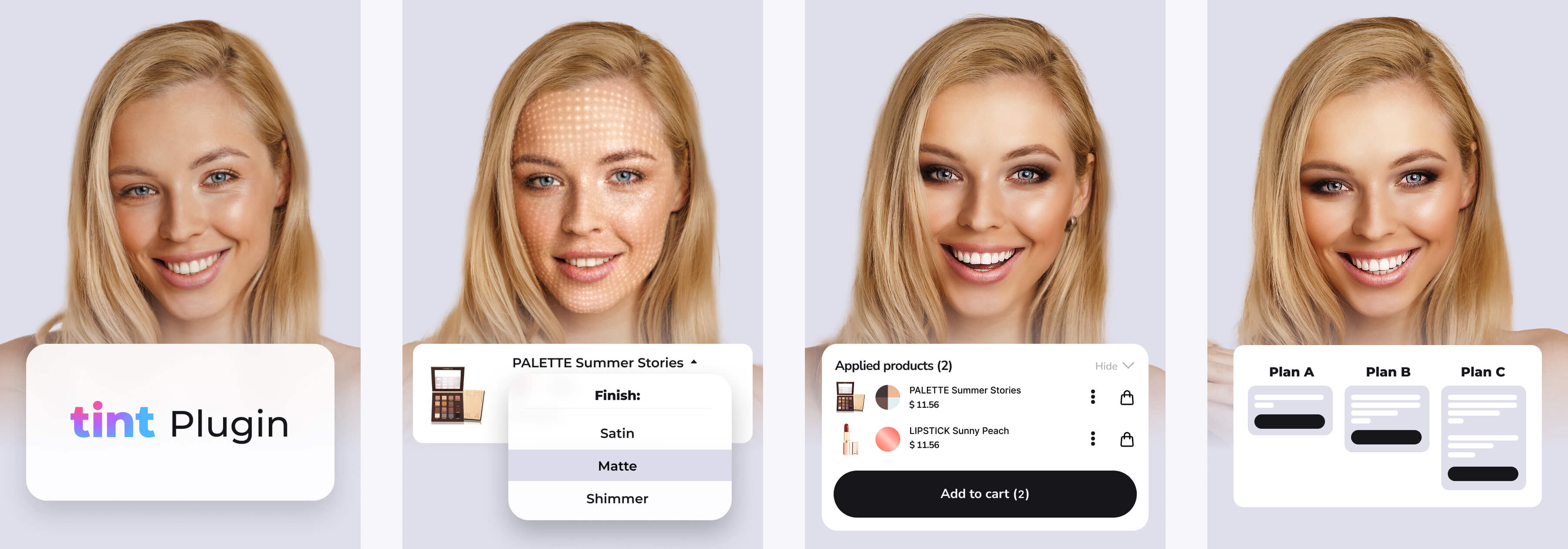
Real-time AR try-on for makeup, eyewear, contacts, and hair color—no AI photo overlays
-
No-code installation from the Shopify App Store
-
Realistic category-specific effects: lip gloss, volumetric lashes, and 3D eyewear
-
AI-powered product digitization; create eyewear models from just three photos; AI generates virtual makeup
-
Diverse models representing all skin tones
-
Built-in try-on usage analytics
-
On-device processing: no customer images collected or stored
-
Browser-based and compatible with almost any camera-enabled device

How to install Banuba's virtual try-on plugin on Shopify
- Install Banuba's app from the Shopify App Store, no coding required
- Upload your products and set AR features like colors, textures, and shapes
- Test during the 7-day free trial and watch add-to-cart rates grow
- Choose a plan by monthly try-on volume
Selected by Hundreds of Leading Brands














Banuba’s Virtual Try-On in Action
Read real success stories from our clients
- Boosted add-to-cart rates by 1000% (from 3% to 32%)
- Successfully tested virtual try-on for key concealers and foundations
- Completely sold out monthly stock within a week
- Generated $900,000 in sales within just 4 hours
- Sold 64,413 products during the event
- Drew an audience of 1.1 million viewers
- Held over 1.7 million virtual makeup try-ons
- Became Indonesia's first-ever AR makeup app
- Digitized its entire cosmetic product range
- Reached 55,000+ downloads during the initial year
- Attracted 50 new salon partners in just 3 months
- Successfully expanded into the UAE and Philippines markets
- Became part of the reseller community








-
Yes. Banuba's TINT Virtual Try-On app for Shopify adds makeup, skincare, glasses, and hair color try-on to your store, and you can install it from the Shopify App Store.
-
No. Banuba's Shopify app is its only ready-made plugin. Stores on other platforms can use Easy Virtual Try-On, a no-code Banuba-hosted try-on link and QR code, and enterprise teams can ask Banuba for a custom integration through the form.
-
No. You install Banuba's app from the Shopify App Store in a few clicks, with no code, and you can start with the free trial.
-
Banuba's virtual try-on plugin uses real-time AR: shoppers see products on their own live camera feed, not a static photo overlay. You can test it in the demo.
-
Banuba's Shopify app supports makeup, skincare, glasses, and hair color, each with its own rendering, such as gloss textures for lipstick and 3D models for eyewear. See Banuba's makeup virtual try-on for the beauty side.
-
You make them yourself in Banuba's Admin Panel, with no special tools or outside help. For cosmetics, fill in the product parameters and Banuba's AI generates the virtual version, and for glasses, you upload three photos of the frame (front, right, left). The Banuba Admin Panel guide shows how.
-
Banuba's virtual try-on runs on the shopper's device, and no customer images are collected, stored, or processed on Banuba's side, as described on the Banuba e-commerce virtual try-on page.
-
Banuba's Shopify plans are priced by monthly try-on volume: Basic is $319 per month for up to 10,000 try-ons, Pro is $999 per month for up to 40,000, and Smart is $1,599 per month for up to 70,000, each with a 14-day free trial for new installs. The Banuba TINT Virtual Try-On pricing guide shows all three TINT offerings.
-
The full integration guide, widget API, and Admin Panel reference are in the Banuba TINT documentation, including step-by-step Shopify setup.
-
Banuba's virtual try-on plugin is powered by Tint, Banuba's AR try-on platform for beauty and fashion eCommerce, which provides the rendering engine, face tracking, product digitization, and admin panel behind the Shopify app, as shown on Banuba's makeup virtual try-on page.
-
Yes. For brands that need more than a plugin, Banuba offers a Makeup Virtual Try-On SDK with advanced AR rendering and cross-platform support for mobile apps and websites.