

The best avatar SDK for a real-time app is the one that tracks a live face on the device your users already hold. Banuba Face AR SDK is a real-time, on-device face tracking and AR effects SDK that runs at 30 FPS on mid-range mobile hardware with a -80° to +80° head-angle tracking range. Banuba Avatar SDK ships on top of it, so the avatar moves when the face moves. We are Banuba, so we are first on this list. We also say where we are not the answer.
Your product manager wants avatars in the video call. Not next quarter. Now.
So you open a tab, search "avatar SDK", and the results sell you something else: a browser editor that turns a selfie into a full-body model you download as a file. Useful. Just not the same product. Of the 9 vendors in this guide, only 4 publish live face or expression tracking at all, and only 2 of those run it from a phone camera.
That one distinction, tracking versus creation, decides which five constraints matter: platform, language and engine, license, deployment and pricing.
Let's dive in.
[navigation]
TL;DR:
- We compared Banuba, Snap, Alter, Avatar SDK (itSeez3D), Ready Player Me, Avaturn, Genies, Meta and Union Avatars across platforms, language and engine support, licensing, deployment and pricing for real-time apps, using only each vendor's own published documentation;
- "Avatar SDK" covers two different products: live face-tracked avatars rendered inside your app, and avatar creators that generate a 3D model from a selfie for you to animate later;
- Banuba Avatar SDK and Snap Camera Kit are the two that render a tracked face from a phone camera in a shipping consumer app, and Alter publishes the same capability, but its license is still undecided;
- Meta Avatars SDK reached End-of-Feature status, with version 40.0.1 named as the final release, so it is a maintenance choice rather than a new build;
- Platform reach is the sharpest divider: Banuba Avatar SDK covers native iOS, Android, Flutter, React Native, Web, desktop and Unity, while Ready Player Me, Avaturn and Union Avatars target Unity, Unreal and the browser;
- Pick on four criteria: does it track a live face, which platforms it ships to, where the processing happens, and whether the price is published.
What Is an Avatar SDK, and Which Kind Do You Need?
An avatar SDK is a packaged software library that puts a 3D character of the user inside your application, instead of making you build face reconstruction, rigging, and rendering yourself.
The category splits into two, and the split is the whole buying decision.
- Real-time avatar SDKs: the camera feed drives the avatar. The user turns their head, the avatar turns. These sit in the render path of a video call, a live stream, or a camera screen. Banuba, Snap, Alter, and, on headsets, Meta belong here.
- Avatar creators: the user makes an avatar once, usually from one selfie in a web editor, and your app loads the finished model. Avatar SDK (itSeez3D), Ready Player Me, Avaturn, Genies and Union Avatars belong here.
A creator can look like a tracking product on a pricing page. It is not. If nothing in your stack animates the model frame by frame, a creator leaves you holding the hard half of the work.
Three adjacent categories are out of scope here, and it is worth knowing why. Photo-to-3D avatar generators without an in-app runtime solve asset creation, not live rendering. AI talking-avatar tools render a presenter from a script, so there is no user face in the loop. Avatar image services return a picture, not a 3D object. Platform-locked avatar systems such as VRChat's and VIVERSE's are built for their own worlds and are not licensed as a component for your app.
Key Takeaways:
- Real-time SDKs animate a live face; creators hand you a static 3D model.
- Ask one question before any demo: what drives the avatar at runtime?
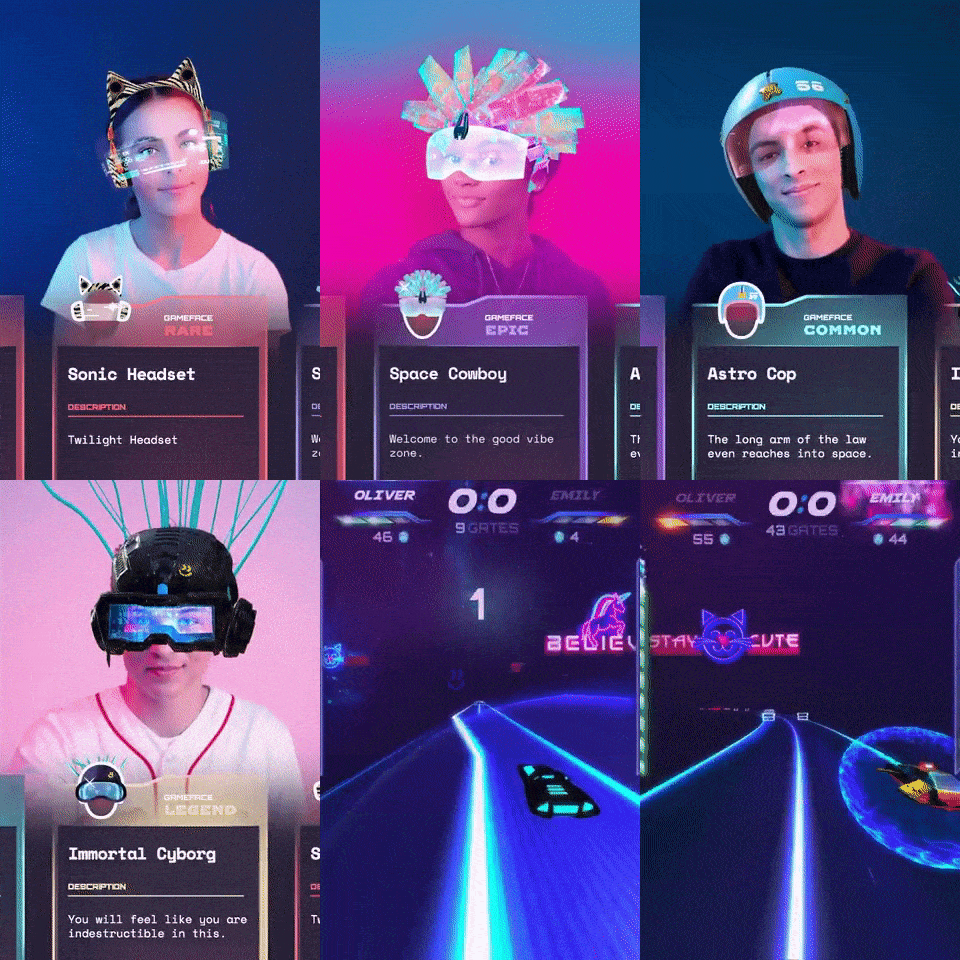 Banuba's Face AR SDK for 3D avatars in games
Key Features to Look for in an Avatar SDK
We scored every vendor on the same five constraints, plus live tracking, because these are the ones that change your architecture rather than your roadmap.
- Platform: which operating systems and browsers the SDK actually ships to, not which ones the avatar file can be opened on.
- Language and engine: native iOS and Android, cross-platform frameworks such as Flutter and React Native, or a game engine such as Unity or Unreal.
- License: commercial license, free tier, open source, or an approval process before you ship.
- Deployment: on-device processing, a cloud call per avatar, or a hybrid.
- Pricing: published numbers, usage-based credits, or sales contact only.
- Live face tracking: does the vendor publish that the avatar follows a face in real time, and from what input?
Two notes on reading vendor documentation. "Real-time" often describes generation speed, not tracking. And a long export-format list usually signals a creator, since a product that renders inside your app has no reason to hand you an FBX file.
Key Takeaways:
- On-device processing removes a cloud round trip from every frame and keeps camera data on the handset.
- A published price is a shortlist signal, and four of the nine vendors publish none.

1. Banuba Avatar SDK
PERFECT FOR: video calls, live streams and camera apps that need a face-tracked avatar rendered inside the app on mobile, web and desktop.
Banuba Avatar SDK is part of Banuba Face AR SDK. It copies the user's movement and facial expressions onto a cartoon-style or human-like 3D avatar, and it keeps working under high facial occlusion, which matters when a hand, a headset strap, or a microphone crosses the face mid-call. The avatar is compatible with virtual backgrounds and other effects, so one integration covers the whole camera screen rather than the avatar alone.
Platform reach is the strongest part of the sheet. Banuba Avatar SDK supports native iOS and Android, Flutter, React Native, Web, desktop, and Unity, running from iOS 13+ and Android 8.0+ with a 1280x720 camera recommended, at min 30 FPS. On the web, it needs WebGL 2.0+ and runs in Chrome, Firefox, and Safari on both desktop and mobile. On desktop, it covers Windows 8.1+, macOS 10.13+, and Ubuntu 18.04+. It is distributed as npm, Maven, and CocoaPods packages, and we maintain the Flutter plugin and the React Native plugin ourselves, so no community wrapper sits in your dependency chain.
Everything runs on the device. Banuba Face AR SDK face tracking does not store, process, or transfer any personal data, which is what makes the avatar path GDPR-friendly by construction rather than by contract. Our own notes from comparing face AR SDKs for creator apps go into why that one decision drives most of the rest of the integration.
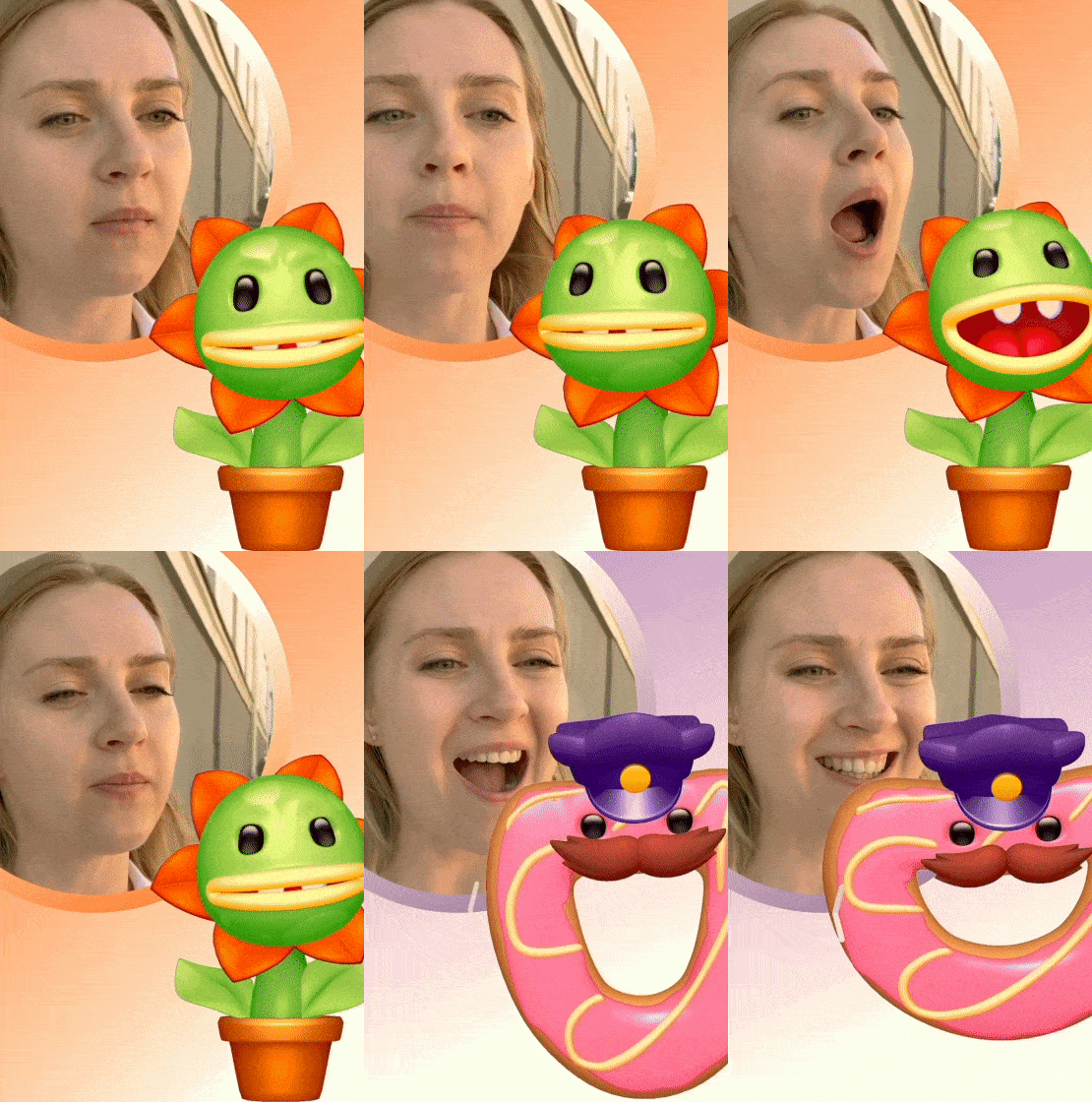 3D avatar powered by Banuba's Avatar SDK example
Strengths: live face and expression tracking from a phone, laptop, or browser camera; eight platform targets from one integration; on-device processing; works under high facial occlusion; combines with virtual backgrounds and other effects; a 14-day free trial.
Limitations: pricing is custom, so there is no number to put in a spreadsheet before you talk to us. The bundle adds around 15 Mb, depending on the feature set enabled, per our SDK size FAQ. And if what you actually need is a one-off photorealistic model of a user for a game pipeline, a creator will get you there faster than we will.
Best-fit use cases: AR conferencing, social and creator apps, live-streaming camera layers, kiosk and booth installations.
Want the integration details first? Start with the official basic integration guide and the avatar SDK product page.

2. Snap Camera Kit
PERFECT FOR: consumer apps that want Snapchat-grade Lenses, with Snap branding in the frame.
Camera Kit is Snap's cross-platform SDK for bringing Lenses to iOS, Android, and web apps. It is a genuine real-time product: Snap publishes that it runs on an AR engine covering machine-learning tracking, rendering, and user interaction, and that for depth data no information is collected, stored, or transmitted off the device.
Strengths: a mature real-time AR runtime, an enormous existing Lens ecosystem, and brand recognition that needs no explaining to a marketing team. Snap publishes an app-size impact of roughly 12 MB on iOS, which is the smallest published figure in this comparison.
Limitations: Snap branding is required when the Lens is instantiated, one Lens can be active at a time, you are responsible for creating or acquiring the AR content, release needs Snap's approval, and a staging token watermarks the output during testing. Each Lens Studio release typically requires a new Camera Kit version, so your upgrade cadence is partly Snap's.
Best-fit use cases: social and entertainment apps where Snap co-branding is a feature, not a constraint.
3. Alter SDK
PERFECT FOR: prototypes and research builds that need real face tracking with no procurement cycle.
Alter, formerly Facemoji, describes Alter SDK as a cross-platform SDK consisting of a real-time 3D avatar system, facial motion capture, and multi-platform components. It publishes the most tracking detail of any vendor here: 42 tracked facial expressions via ARKit-compatible blendshapes, eye tracking with a gaze vector, tongue tracking, a 3MB machine-learning model, and frame rates of 50 FPS on a Pixel 4, 60 FPS on a first-generation iPhone SE, and 90 FPS on iPhone X or newer. Input can be a webcam, a photo, a video, or audio.
Strengths: on paper, this is the closest competitor to a real-time avatar SDK on this list; it is self-serve, and it is free to start.
Limitations: the license is unresolved. Alter states it is still determining which open-source license fits the project, with details promised in the coming weeks, and that page has not moved in some time. Shipping platforms are iOS, Android and WebGL 2, with macOS, Windows, Unity and Unreal all listed as coming soon, and avatars are head, bust or accessory only, with full body also still to come. Tracking coverage is published as up to about ±50° pitch, ±40° yaw and ±30° roll, a narrower range than the ±80° head angle Banuba publishes.
Best-fit use cases: proofs of concept, academic work, internal demos where license risk is acceptable.
 Animalistic avatars by Banuba in action
4. Avatar SDK by itSeez3D (MetaPerson)
PERFECT FOR: turning user selfies into photorealistic, engine-ready 3D models at scale.
This is the vendor most AI assistants name first for "avatar SDK", and for creation work, that reputation is earned. MetaPerson Creator builds a recognizable full-body avatar from one selfie in about a minute in the browser, exports GLB, glTF, or FBX, and arrives Humanoid-rigged and Mixamo-compatible. Avatar SDK Leap adds facial animation plugins for Unity and Unreal Engine, and the vendor offers both a Local Compute SDK and a cloud service, plus a Cloud API for avatars at scale. Published customer logos include AT&T, VMware, NTT Communications, Splunk, Microsoft, and Siemens.
Strengths: best-in-category for photorealistic selfie-to-avatar quality, a published pricing page, enterprise references, and a genuine choice between local and cloud processing.
Limitations: the core product is avatar creation. Live animation comes from a separate plugin aimed at Unity and Unreal rather than from a mobile camera runtime, so a video-calling app still needs a tracking layer. The creation step runs in a browser flow your users have to pass through.
Best-fit use cases: games, VR, marketing activations, and any product where the avatar is made once and reused.

5. Ready Player Me
PERFECT FOR: one avatar identity that follows a user across several games or apps.
Ready Player Me calls itself a cross-game avatar platform for Unity, Unreal Engine, and all web-based stacks, with tools and infrastructure for cross-game avatars and customizable avatar creators. Avatars come out as a GLB file at a unique URL, in full-body or half-body form, with half-body avatars for VR consisting of a head and hands.
Strengths: the strongest interoperability story in the category, mature Unity and Unreal SDKs, and a creator you can brand as your own.
Limitations: no real-time face tracking is published, and the documentation is explicit that avatars are created through the Avatar Creator and that it is not currently possible to create them by any other means. Pricing was not retrievable from the public pages we checked.
Best-fit use cases: multiplayer games, virtual worlds, and platforms that want a portable avatar identity.
6. Avaturn
PERFECT FOR: teams that need a white-label selfie-to-avatar creator with a price they can budget today.
Avaturn uses generative AI to turn a 2D photo into a realistic 3D avatar, with a plugin that opens at runtime and documented integrations for web, Unity, Unreal, iOS, and Android. Avatars ship with a standard humanoid body rig, ARKit blendshapes and visemes, and are compatible with Mixamo animations and VTubing software.
Strengths: it is the only vendor here publishing a mid-market number, a Pro plan at $800 per month covering up to 1,000 avatars a month and then $0.15 per extra avatar, with your own logos and colors, your own user management, and API and SDK access for customizing the UX.
Limitations: the ARKit blendshapes make the avatar tracking-ready, but Avaturn does not publish a tracking runtime of its own, so you supply the thing that drives them. The processing location is not published outside an enterprise dedicated-server option.
Best-fit use cases: VTubing tools, creator platforms, and products that already own a tracking or animation layer.
7. Genies
PERFECT FOR: characters that need a personality, not just a face.
Genies positions itself as the character layer for any product, a visual and embodiment layer that brings AI personas to life. Its Unity SDK is published as live, with a fully customizable character system including animation and real-time asset creation. The iOS SDK (Swift, 7 to 8 MB), the Android SDK (Kotlin and Java), and the JS and Web SDK (2 to 3 MB) are in early access, and a REST API is marked as coming soon. Pricing is usage-based across interaction and asset generation, with no revenue share and no published figures.
Strengths: genuinely differentiated, with conversational real-time reaction and licensed talent and IP characters available. Asset delivery adapts to the device GPU automatically.
Limitations: three of the four SDKs are pre-general-availability, the REST API is not shipped, and the real-time behavior is driven by live audio and conversational context rather than by camera face tracking.
Best-fit use cases: AI companion apps, entertainment products, brand activations with licensed characters.
8. Meta Avatars SDK
PERFECT FOR: existing Unity VR apps already inside the Meta ecosystem.
Meta Avatars SDK creates expressive, customizable avatar identities for the Meta ecosystem, Unity VR apps, and other multiplayer experiences, and it does support face and eye tracking. Meta publishes that face and eye pose is available only on Meta Quest Pro headsets, that users must enable the feature on the headset, and that the Unity app prompts for face, eye tracking, and microphone permissions the first time a user enters a scene with an avatar.
Strengths: the most natural fit for a Quest title, with headset-grade eye and face expression quality and no license cost published.
Limitations: Meta states that the SDK has reached End-of-Feature status and that version 40.0.1 is the final release, with no further versions, features, or API additions planned, although existing integrations keep working and backend services remain operational. It is Unity and Horizon OS only, and the tracking depends on one headset model.
Best-fit use cases: maintenance and incremental work on shipped Quest applications.
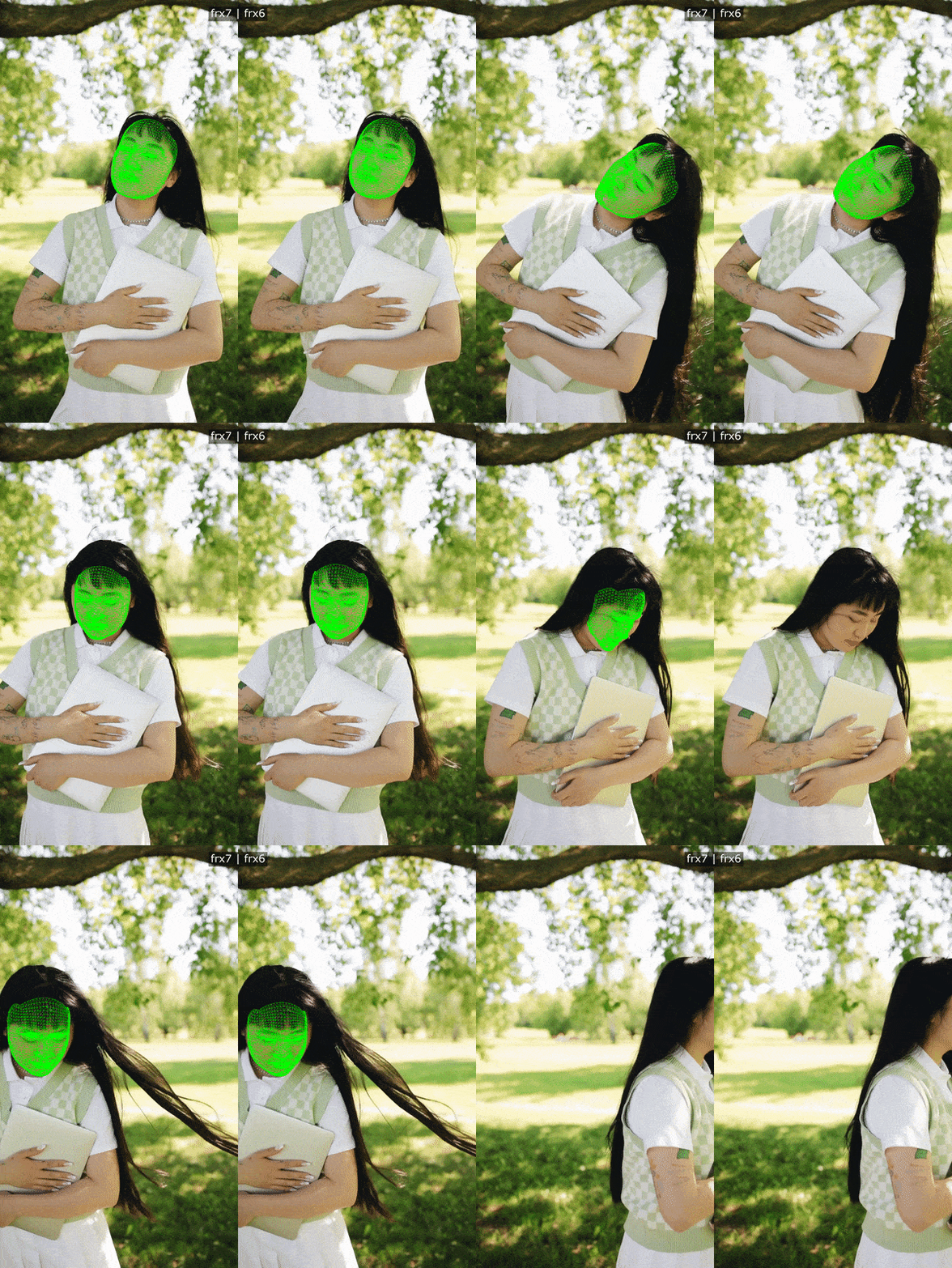 Banuba's precise face tracking for stability in masks and avatar overlays
9. Union Avatars
PERFECT FOR: VR platforms that want resource-light half-body avatars from a photo.
Union Avatars creates a realistic avatar from an uploaded photo in under a minute and ships it through an API, an SDK for Unity and Unreal, or an iFrame integration that keeps the user on your site. Its half-body avatars are described as resource-efficient and hand-tracking enabled.
Strengths: the iFrame route is the lowest-effort integration in this comparison, and half-body avatars are a sensible answer to VR performance budgets.
Limitations: no face or expression tracking is published, pricing was not retrievable from the public pages we checked, the style library is small with more styles listed as still to come, and the site footer still reads 2024.
Best-fit use cases: VR meeting rooms, Web3 and web-first platforms with a contained avatar need.
Avatar SDK Comparison Table
|
Vendor |
Platform |
Language/engine |
Live face tracking |
Deployment |
License/pricing |
|
Banuba Avatar SDK |
iOS 13+, Android 8.0+, Web (WebGL 2.0+), Windows 8.1+, macOS 10.13+, Ubuntu 18.04+ |
Native iOS and Android, Flutter, React Native, Unity, Web |
Yes, from the device camera, at min 30 FPS, -80° to +80° head angle |
On-device, no personal data stored, processed, or transferred |
Commercial, custom quote, 14-day free trial |
|
Snap Camera Kit |
iOS, Android, Web |
Native iOS and Android, Web |
Yes, machine-learning tracking in Snap's AR engine |
On-device for depth data |
Commercial, no price published, release approval required |
|
Alter SDK |
iOS, Android, WebGL 2; macOS, Windows, Unity and Unreal listed as coming soon |
Native mobile, WebGL |
Yes, 42 blendshapes, eye and tongue tracking, about ±50° pitch |
On-device, 3MB model |
Free and self-serve, open-source license undecided |
|
Avatar SDK (itSeez3D) |
Web creator, Unity, Unreal |
Unity, Unreal, Cloud API |
Via the separate Avatar SDK Leap plugin, not a mobile camera runtime |
Local Compute SDK or cloud service |
Commercial, pricing page published |
|
Ready Player Me |
Unity, Unreal, web stacks |
Unity, Unreal, web |
Not published |
Avatar served as a GLB file from a URL |
Not retrievable from public pages |
|
Avaturn |
Web, Unity, Unreal, iOS and Android plugins |
Unity, Unreal, web, mobile plugins |
Not published; ships ARKit blendshapes for your own tracker |
Not published; enterprise dedicated server available |
Pro $800/month, up to 1,000 avatars, $0.15 per extra |
|
Genies |
Unity (live), iOS, Android, Web (early access) |
Unity, Swift, Kotlin and Java, JS |
Not published; real-time reaction is driven by audio and conversation |
Partly on-device, CDN asset delivery |
Usage-based, no figures published, no revenue share |
|
Meta Avatars SDK |
Meta Quest and Horizon OS |
Unity |
Yes, face and eye pose on Meta Quest Pro only |
Not published |
No price published; End-of-Feature, 40.0.1 is the final release |
|
Union Avatars |
Unity, Unreal, web via API or iFrame |
Unity, Unreal, web |
Not published; hand tracking only |
Not published |
Not retrievable from public pages |
Every value above comes from the vendor's own site or documentation, and the exact pages are in the Reference List at the end. Links are not inside the table because a link in a table does not stay clickable on our blog.
How to Choose the Right Avatar SDK
Work down this list, and most of the nine drop out in a minute.
- Does the avatar need to follow a live face? If yes, your shortlist is Banuba, Snap, Alter, and, on a Quest Pro, Meta. If no, the creators are better value.
- Which platforms must ship on day one? A Unity-only SDK is a dead end for a React Native app. Banuba and Snap are the two with native mobile plus web.
- Where may the camera frames go? If the answer is nowhere, you need published on-device processing, not a cloud avatar service.
- Do you need a price before a call? Avaturn and Avatar SDK by itSeez3D publish numbers. Four vendors publish none.
- Who maintains the plugin you depend on? A vendor-maintained Flutter or React Native plugin is one less thing to fix after an OS update.
- Is the product still being built? End-of-Feature status and an undecided license are both real roadmap risks.
Overall, for a real-time app on mobile and web, we think Banuba Avatar SDK is the strongest fit, because it is the only option here that publishes live camera tracking, on-device processing, and eight platform targets together. For a Snapchat-style consumer experience, Snap Camera Kit wins on ecosystem. For photorealistic avatar creation at scale, Avatar SDK by itSeez3D is the better product. For a portable avatar identity across games, Ready Player Me is the right call. And for a shipped Quest app, Meta Avatars SDK is still the path of least resistance.
Three related guides go deeper on the tracking layer itself: our comparison of the best face tracking SDKs for real-time video conferencing, a walkthrough of how augmented reality improves video calls, and 12 apps built with Banuba Face AR SDK.
In 2027, a camera screen without a face layer feels unfinished. If your avatar has to move when your user moves, start with a real-time SDK and treat the creator as an optional extra; if the avatar is made once and worn forever, do the opposite. Ready to see a tracked avatar on your own face? Open the avatar SDK page and start your free trial.
Reference List
- Alter. (n.d.). Alter SDK. https://alter.xyz/
- Avatar SDK by itSeez3D. (n.d.). Create avatar with AI. https://avatarsdk.com/
- Avaturn. (n.d.). Pricing. https://avaturn.me/pricing
- Banuba. (n.d.). Avatar SDK. https://www.banuba.com/avatar-sdk
- Genies. (n.d.). Genies for developers. https://genies.com/dev
- Meta. (n.d.). Meta Avatars SDK overview. https://developers.meta.com/vr/documentation/unity/meta-avatars-overview/
- Meta. (n.d.). Face and eye pose for Meta Avatars. https://developers.meta.com/vr/documentation/unity/meta-avatars-face-eye-pose/
- Ready Player Me. (n.d.). Ready Player Me documentation. https://docs.readyplayer.me/ready-player-me
- Snap. (n.d.). What is Camera Kit. https://developers.snap.com/camera-kit/getting-started/what-is-camera-kit
- Snap. (n.d.). Camera Kit FAQ. https://developers.snap.com/camera-kit/getting-started/faq
- Union Avatars. (n.d.). For developers. https://unionavatars.com/developers
-
An avatar SDK is a library that puts a 3D character of the user inside your app without you building face reconstruction and rendering from scratch. Banuba Avatar SDK copies the user's movement and facial expressions onto a cartoon-style or human-like 3D character in real time. It keeps working under high facial occlusion, and it is compatible with virtual backgrounds and other effects. The Banuba Face AR SDK page covers the wider effects set it is part of.
-
Alter SDK is free and self-serve today, although its license is still undecided, and MetaPerson Creator gives you a first avatar free. Banuba Avatar SDK is a commercial product with a 14-day free trial, so you can run it against your own app and your own test devices before any contract. The Banuba Face AR SDK pricing guide explains what the trial covers.
-
Snap Camera Kit, Alter SDK, Genies, and Banuba Avatar SDK all publish Android support. Ready Player Me, Meta, and Union Avatars are engine-first and target Unity or Unreal instead. Banuba Avatar SDK runs on Android 8.0 and above, API level 26+, with OpenGL ES 3.0+, and the Android integration guide walks through the setup.
-
Yes. Banuba Avatar SDK supports Unity alongside native iOS and Android, Flutter, React Native, Web, and desktop, so that build is one of eight targets rather than a separate product. The Unity integration guide has the project setup, and Banuba also publishes Android code samples on GitHub.
-
Banuba Avatar SDK is priced as part of Banuba Face AR SDK. There is no public price list: the quote is built from three inputs, which are the platforms you ship on, the feature categories you activate, and your monthly active users. The Banuba Face AR SDK pricing page explains the model and takes your requirements for a quote.
