

MediaPipe gives you face landmarks. Turning those landmarks into a shipped AR feature is a separate body of work. Banuba Face AR SDK is a real-time, on-device face tracking and AR effects SDK that runs at 30 FPS on mid-range mobile hardware with a -80° to +80° head-angle tracking range. Banuba wrote this comparison, so read the Banuba section as a vendor description and check every MediaPipe figure against Google's own documentation, which is linked in the reference list at the end. In this article, we will compare both on face landmarks, platform coverage, licensing, rendering, and vendor support.
[navigation]
TL;DR:
We compared Banuba Face AR SDK, MediaPipe, Google ML Kit, OpenCV, Snap Camera Kit, and DeepAR across platform, language, license, deployment, pricing, and face-tracking output for real-time camera apps, based on each vendor's own published documentation.
- MediaPipe is free under the Apache License 2.0, and its Face Landmarker outputs an estimate of 478 3-dimensional face landmarks plus 52 blendshape scores, which is more raw geometry than most commercial SDKs publish;
- Banuba Face AR SDK detects 68 facial anchor points, builds a 3D mesh of up to 3,308 vertices, and tracks 37 mesh morphs, and the Banuba tracker holds across the full -80° to +80° head-angle range and with up to 70% facial occlusion;
- Google labels MediaPipe Solutions Preview "an early release", publishes no pricing page and no vendor SLA, and ended support for the MediaPipe Legacy Solutions as of March 1, 2023;
- Banuba Face AR SDK ships to eight platforms from one integration, iOS, Android, Web, Unity, Flutter, React Native, Windows, and macOS, and Banuba builds and maintains all eight;
- MediaPipe publishes Face Landmarker implementation guides for Android, Python, and Web, and its Face Landmarker Get Started section lists no iOS guide;
- MediaPipe returns geometry, not effects, while Banuba Face AR SDK adds the 3D renderer, filter editor, scripting, beautification, multi-face tracker, and a documented Agora extension for live video;
- Google publishes no FPS benchmark, no fairness evaluation, and no integration-time estimate on the Face Landmarker task page, so budget your own device testing either way;
- Banuba publishes no price list for the Face AR SDK: the quote is built from the platforms you ship on, the feature categories you enable, and your monthly active users, with a 14-day free trial on every supported platform.
How we compared
We used five constraint dimensions that decide a shortlist before any feature argument starts, plus three category dimensions that matter for a camera app.
-
Platform. Which operating systems and runtimes the vendor publishes a supported path for.
-
Language. The documented SDK surface a developer actually writes against.
-
License. The legal model, read from the vendor's own license file or license page.
-
Deployment. Where the processing happens and what gets shipped inside the app.
-
Pricing. The published cost model, or the absence of one.
-
Face-tracking output. The landmarks, mesh, and expression data the API returns.
-
AR rendering and effects. Whether the product renders effects, or only produces coordinates.
-
Vendor support. Whether a support relationship exists at all.
Every figure below comes from the vendor's own documentation. Where a vendor does not publish a value, the table says so rather than estimating it. Hands-on testing remains essential: none of these vendors publishes a frame-rate benchmark you can port to your own device matrix.
Banuba Face AR SDK
Banuba sells a commercial face AR stack rather than a tracking library. The tracking sits underneath, and the renderer, the effect format, the editor, and the integrations sit on top.
Face tracking. Banuba's face tracking detects 68 facial anchor points, builds a 3D mesh of up to 3,308 vertices, and tracks 37 mesh morphs. Tracking 37 face parameters instead of a long landmark list is how Banuba's face tracking software holds performance and accuracy on low-end hardware. The tracker operates in poorly-lit environments and works with up to 70% facial occlusion, and it stays locked on across the full -80° to +80° head-angle range.
Platforms. One integration ships to eight platforms: iOS, Android, Web, Unity, Flutter, React Native, Windows, and macOS. Banuba builds and maintains all eight, including the Flutter and React Native plugins, so there is no community wrapper in the chain. It runs from iOS 13 and up and Android 8.0, API level 26 and up, with a 1280x720 camera recommended, at min 30 FPS. One integration covers 97% of Apple and 80% of Android smartphones.
Deployment. All face tracking and effect rendering happen locally on the user's device with no cloud dependency, so camera frames never leave the phone and the SDK keeps working offline. For live video, Banuba ships a documented Agora extension with working iOS and Android examples. That is the path behind live chat for b.stage, which passed 1 million monthly active users across 224 countries. The same scale story is written up in the 1 million MAUs in 2 years for a SaaS fandom platform case study.
What ships with it. Multi-face tracker for several faces in one frame, SFX and voice changer, beautification, a 3D renderer, a filter editor with scripting, DIY effect creation in Banuba Studio, sample filters and documentation, and support and consultancy. Effects are scripted in JavaScript, so a filter can fire on an open mouth, raised eyebrows, or a screen tap.
Pricing. Banuba publishes no price list. The quote is built from three inputs: the platforms you ship on, the feature categories you activate, and your monthly active users. A license runs for one year and is billed yearly, with half-year and quarterly billing on request. A 14-day free trial covers every feature on every supported platform. Startup time is under an hour, and a production integration with your own team takes about one week.
Strengths. Geometry, renderer, effect pipeline, and live-video integration in one licensed package; eight first-party platforms; published occlusion and head-angle figures; a dedicated customer success manager and SLA-based support.
Limitations. There is no free tier beyond the 14-day trial, and no public price, so you cannot size the cost without talking to Banuba. The quote tracks monthly active users, which means a viral app costs more at renewal than it did at signature. The SDK is closed source, so you cannot patch the tracker yourself the way you can with an open-source library.
That trade, a license fee and a closed tracker in exchange for a finished AR pipeline, is the whole decision. It is also what teams weigh when they go looking for a mediapipe alternative after a prototype works.

MediaPipe
MediaPipe is published by Google, and the source lives in the google-ai-edge GitHub organization. MediaPipe Solutions is a suite of libraries and tools for applying AI and ML techniques in applications, and it is part of the MediaPipe open source project. It is not a commercial SDK with a vendor contract, and that shapes everything below.
Face tracking. The Face Landmarker task returns a complete face mesh per detected face. The face mesh model outputs an estimate of 478 3-dimensional face landmarks, and the bundled blendshape prediction model predicts 52 blendshape scores, coefficients representing facial expressions. Face detection uses the BlazeFace short-range model, described as lightweight and optimized for mobile GPU inference. The output also carries facial transformation matrices for effects rendering, which is the hook you build your own renderer onto.
Platforms. MediaPipe is documented as deploying to mobile, Android and iOS, plus web, desktop, edge devices and IoT, and the Solutions availability table is published across four platform columns: Android, Web, Python and iOS. For Face Landmarker specifically, implementation guides and code examples are published for Android, Python and Web.
Language. MediaPipe Tasks provides cross-platform APIs and libraries for deploying solutions. Below that, MediaPipe Framework is the low-level component for building on-device ML pipelines, built around Packets, Graphs and Calculators, with example applications documented for C++, Android and iOS.
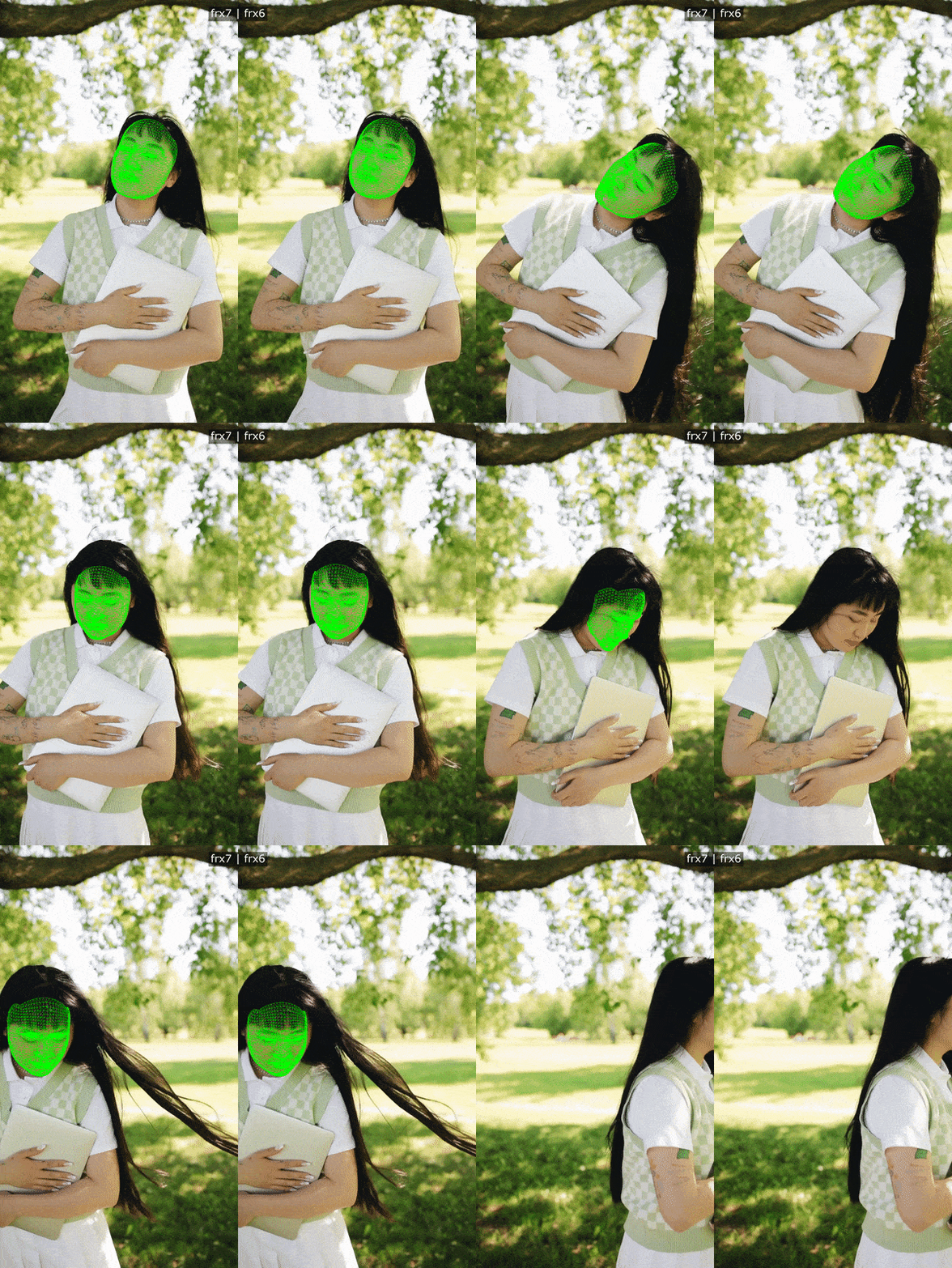 Banuba's face tracking in action
License. The LICENSE file in the official google-ai-edge/mediapipe repository is the Apache License, Version 2.0, January 2004. Solutions code can be further customized because MediaPipe Solutions is part of the MediaPipe open source project.
Deployment. When using MediaPipe Tasks, processing of input data, images, video, and text, takes place on device, and MediaPipe does not send that input data to Google servers. Solutions ship as downloadable model bundles, and the Face Landmarker bundle packages a face detection model, a face mesh model, and a blendshape prediction model. The documented model input shapes are FaceDetector 192 x 192, FaceMesh-V2 256 x 256, and Blendshape 1 x 146 x 2, float 16 data type.
Configuration. Three running modes are documented: IMAGE for a single image, VIDEO for decoded video frames, and LIVE_STREAM for livestream input such as a camera, with results returned asynchronously via a result listener. The thresholds min_face_detection_confidence, min_face_presence_confidence, and min_tracking_confidence each default to 0.5 on a 0.0 to 1.0 range, and num_faces defaults to 1.
Pricing. Open-source distribution under the Apache License 2.0 per the official repository LICENSE, and Google publishes no pricing page for MediaPipe.
Strengths. No license cost, full access to the source, 478 landmarks and 52 blendshapes out of the box, a documented LIVE_STREAM mode, and the broadest solution catalog in this comparison. The published solutions list runs from face landmark detection and pose landmark detection through image segmentation, gesture recognition, and the LLM Inference API, so one dependency covers more than faces.
Limitations, all documented by Google. The provider labels the release "MediaPipe Solutions Preview is an early release". Landmark smoothing is only applied when num_faces is set to 1, so a two-person frame loses it. The options output_face_blendshapes and output_facial_transformation_matrixes both default to False and must be explicitly enabled. MediaPipe Tasks APIs send metrics about API performance and utilization in your app to Google, and the integrator is responsible for obtaining informed user consent as required by law. Support ended for the MediaPipe Legacy Solutions as of March 1, 2023, when Face Mesh and Iris were folded into Face landmark detection and Selfie segmentation, and Hair segmentation into Image segmentation, while Box tracking, Instant motion tracking, Objectron, KNIFT, AutoFlip, MediaSequence, and YouTube 8M had support ended outright.
What Google does not publish. Commercial pricing or paid tiers are not publicly documented. A vendor SLA and commercial support are not publicly documented either, and the repository directs users to a Slack community, GitHub issues, and Stack Overflow. Landmark accuracy and FPS benchmarks are not publicly documented on the Face Landmarker task page, and neither are skin-tone handling nor a fairness evaluation. Makeup and virtual try-on rendering are not publicly documented, because no such solution appears in the published solutions list. Integration time estimates are not publicly documented. None of that makes MediaPipe a bad choice. It does mean the numbers your product manager will ask for do not exist yet, and nobody owes you an answer.

Other options on the same shortlist
Four more products come up in the same evaluation, and each is worth a paragraph.
Google ML Kit is a mobile SDK that brings Google's on-device machine learning to Android and iOS apps. It publishes two separate face products: Face Detection, generally available, and Face Mesh Detection, in Beta. Google states the APIs are "offered to you at no cost". Face Detection locates facial features such as eyes, ears, cheeks, nose, and mouth, returns contours, recognizes smiling and eyes-open, and tracks faces across video frames, and requesting all contours returns 133 2D points in total. The Face Mesh Detection docs publish an Android guide only, with no iOS guide listed, and that model is bundled only, about 6.4 MB.
OpenCV is an open-source computer vision and machine learning software library. Its license is version-dependent: 4.5.0 and above under the Apache 2 License, 4.4.0 and lower under the 3-clause BSD license. For faces, the objdetect module documents a Cascade Classifier, a HOG descriptor and detector, and DNN-based face detection and recognition. The DNN detector cv::FaceDetectorYN returns a 2D matrix of shape [num_faces, 15]: bounding-box x, y, width and height, five landmark coordinates for right eye, left eye, nose tip, right mouth corner and left mouth corner, and a face score. Five landmarks are a different order of detail from a face mesh.
Snap Camera Kit is Snap's cross-platform SDK that enables you to deliver augmented reality experiences directly to your websites and iOS and Android applications, with three official SDKs: iOS, Android, and Web. No price, tier, or usage rate is published on any Camera Kit page, and the documented route is a Snap Developer account plus an access request. The obligations are the part to read before committing. Releasing an app using Camera Kit for the first time requires review and approval by the Snap Kit team, and Snap aims to review all integrations in one to two business days. The staging API token puts a "Camera Kit Staging" watermark on the app screen and applies lower rate limits. The integrator will integrate Creative Kit for sharing Lens content to Snapchat and list Snapchat as one of the first several sharing options. Snap attribution is optional for mobile and web applications, and required for commercial public displays, which explicitly includes AR Mirrors in retail stores and kiosks.
DeepAR is an end-to-end framework for creating AR applications and solutions for mobile, web, and desktop. It is the only vendor here with a published price table, and that table is MAU-based: free up to 10 MAU, $25 per month or $250 per year up to 1,000 MAU, $100 per month or $1,000 per year up to 5,000 MAU, $500 per month or $5,000 per year up to 30,000 MAU, $1,000 per month or $10,000 per year up to 100,000 MAU, and contact sales above 100,000 MAU. DeepAR Studio is free to use. The DeepAR Beauty API is in beta, free for testing and feedback, and comes with a watermarked preview and auto-shutdown after 3 minutes.
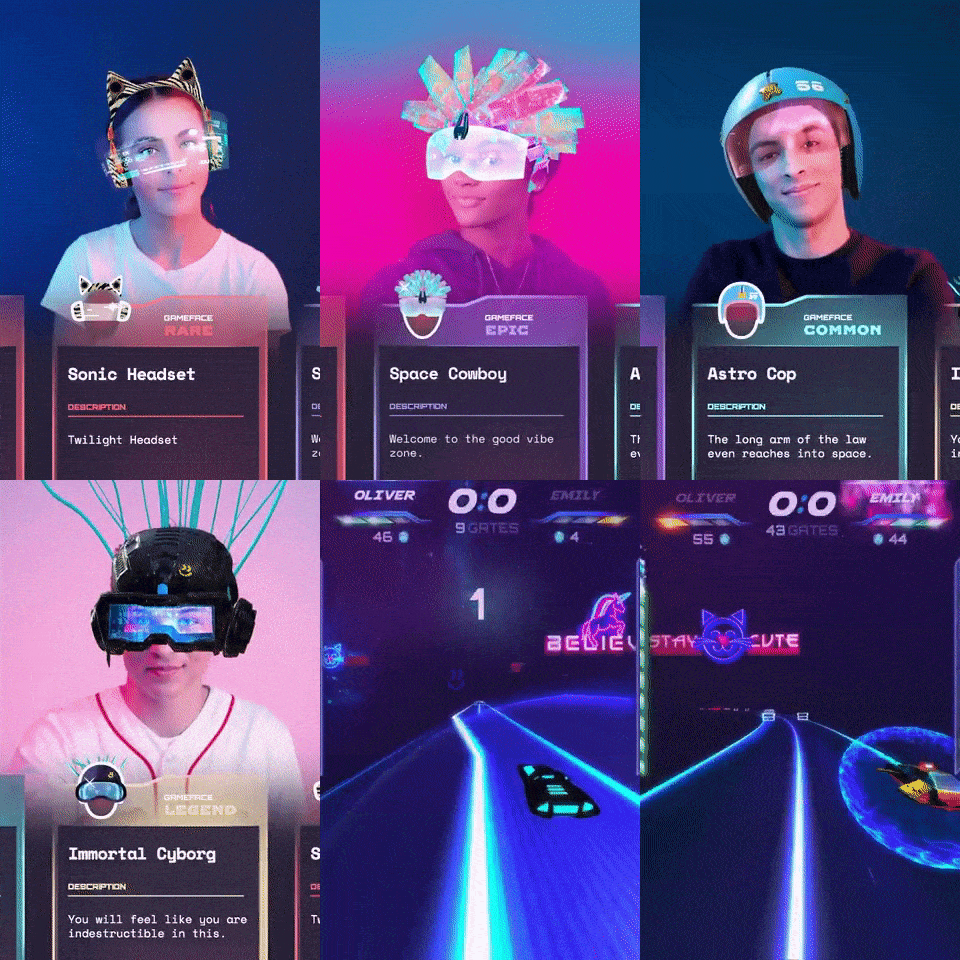 Banuba's Face AR SDK for games
Which one to choose
For a team shipping a real-time camera feature to users this quarter, Banuba Face AR SDK is the stronger pick, because one licensed integration covers the tracker, the renderer, the effect format and eight platforms, and there is a vendor on the other end of an SLA. That is the single claim this article makes for Banuba.
Scenario winners, where Banuba is not the answer:
Prototyping, research, and anything with no license budget: MediaPipe. 478 landmarks, 52 blendshapes, Apache License 2.0, source you can read, and a documented LIVE_STREAM mode. Nothing else here gets you to a working camera demo at no license cost.
Simple face detection on Android and iOS with no mesh needed: Google ML Kit. Google states the APIs are offered at no cost, Face Detection is generally available rather than in preview, and contours plus smiling and eyes-open cover a lot of product requirements.
A custom computer-vision pipeline where faces are one step of many: OpenCV. You get the DNN face detector plus background segmentation and the rest of the library in one dependency, under Apache 2 from 4.5.0.
A Snapchat-style lens experience with Snap's own content: Snap Camera Kit. Three official SDKs and the Lens ecosystem, as long as the app review, the Creative Kit sharing obligation and the public-display attribution rule fit your product.
A small app that wants a published price before a sales call: DeepAR. It is the only vendor in this comparison with a public MAU price table, and it is free up to 10 MAU for testing.

Moving a MediaPipe prototype to production
The honest version of this comparison is that the two products are complementary in sequence. Teams build the prototype on MediaPipe, prove the idea, and then meet the list of things a shipped camera feature needs that a landmark model does not provide.
Firstly, the renderer. MediaPipe returns facial transformation matrices for effects rendering, which means you write the rendering layer, the effect format, and the asset pipeline yourself. Secondly, the platform matrix. Face Landmarker publishes implementation guides for Android, Python, and Web, so an iOS release is your own integration work. Thirdly, the effect content. Makeup and virtual try-on rendering are not publicly documented for MediaPipe, so beauty and try-on features are built from scratch. Finally, the accountability. Preview status, a community support channel, and no published benchmark are fine in a prototype and awkward in a contract.
None of that is an argument against MediaPipe. It is a list of the work that moves from Google's repository to your backlog. For a wider view across vendors, Banuba keeps a comparison of 7 Face AR SDKs for creator apps, and the implementation mechanics are in how to implement face landmarks detection.
Methodology
We read each vendor's own documentation for this comparison and recorded only values those pages publish: license files, platform guides, pricing pages where one exists, and task reference pages. Competitor capability claims were not inferred from marketing pages or third-party reviews. Where a vendor publishes nothing for a dimension, the table says it is not publicly documented rather than carrying an estimate. Banuba figures come from Banuba's own product documentation. No frame-rate benchmark is quoted for any competitor, because none of them publishes one for face landmark detection, and performance should be validated on your own target devices.
Conclusion
MediaPipe and Banuba Face AR SDK answer different questions. MediaPipe answers "can this work", with 478 landmarks, Apache License 2.0 and no license cost. Banuba Face AR SDK answers "can we ship this on iOS, Android and Web next quarter and support it", with the renderer, the effect pipeline, the documented Agora extension and a one-year commercial license behind it. Start on MediaPipe if the idea is unproven, and move when the backlog of renderer, platform, and support work costs more than the license. The Banuba trial runs for 14 days across every supported platform, which is enough to test the move on your own footage.
Reference list
- MediaPipe Solutions guide, Google: https://developers.google.com/edge/mediapipe/solutions/guide
- MediaPipe Face Landmarker task reference, Google: https://developers.google.com/edge/mediapipe/solutions/vision/face_landmarker
- MediaPipe repository LICENSE, google-ai-edge: https://github.com/google-ai-edge/mediapipe/blob/master/LICENSE
- Google ML Kit Face Detection: https://developers.google.com/ml-kit/vision/face-detection
- Google ML Kit Face Mesh Detection: https://developers.google.com/ml-kit/vision/face-mesh-detection
- OpenCV license: https://opencv.org/license/
- OpenCV FaceDetectorYN reference: https://docs.opencv.org/4.12.0/df/d20/classcv_1_1FaceDetectorYN.html
- Snap Camera Kit app review and release: https://developers.snap.com/camera-kit/app-review/release-app
- DeepAR SDK pricing: https://docs.deepar.ai/deepar-sdk/pricing
- Banuba Face AR SDK documentation: https://docs.banuba.com/far-sdk/
- Banuba Face AR SDK iOS samples: https://github.com/Banuba/banuba-sdk-ios-samples
-
Banuba Face AR SDK, MediaPipe, Google ML Kit, Snap Camera Kit, and DeepAR all publish face tracking, and OpenCV publishes DNN-based face detection with five landmark coordinates. The difference is what sits on top of the tracking: Banuba ships the 3D renderer, the filter editor, and the scripting layer inside the same SDK, while MediaPipe and OpenCV return coordinates and leave the rendering to you. Banuba's platform list and device requirements are on the Banuba Face Filters SDK page.
-
For a dense mesh, Banuba Face AR SDK builds a 3D mesh of up to 3,308 vertices and tracks 37 mesh morphs, and MediaPipe's Face Landmarker outputs an estimate of 478 3-dimensional face landmarks with 52 blendshape scores. Google ML Kit's Face Mesh Detection is in Beta and publishes an Android guide only. Banuba also exposes the mesh data on its own, which is what the Banuba Face Landmarks SDK covers.
-
Build the effect in any 3D graphical editor, then convert it to the SDK format in Banuba Studio, where you can preview it on a live camera before shipping. No computer-vision work is needed for a custom filter; only the 3D asset and effects are scripted in JavaScript so they can fire on an open mouth, raised eyebrows, or a screen tap. With MediaPipe, you would write the effect format and the renderer yourself, because it returns landmarks and transformation matrices rather than rendered effects. Banuba's health-tech landmarks write-up shows the same mesh data used outside filters.
-
MediaPipe is free under the Apache License 2.0, OpenCV carries the same family of terms from version 4.5.0 upwards, and Google states the ML Kit APIs are offered at no cost. Banuba Face AR SDK is commercial, and its 14-day free trial covers every feature on every supported platform. After the trial, the quote is built from the platforms you ship on, the categories you enable, and your monthly active users. The inputs and the trial request form are on the Banuba Face AR SDK pricing page.
-
With Banuba Face AR SDK, startup time is under an hour, and a production integration with your own team takes about one week, and Banuba publishes per-platform setup guides and GitHub samples for iOS, Android, Web, Unity, Flutter, React Native, Windows and macOS. Integration time estimates are not publicly documented for MediaPipe Face Landmarker, so plan that work from your own prototype. A spec-by-spec view of several vendors sits in Banuba's face landmarks SDK comparison.
