

The best AR hair color apps in 2026 are Banuba, Fotor, My Hair [iD], Garnier Virtual Try-On and YouCam Makeup. Banuba Face AR SDK is a real-time, on-device face tracking and AR effects SDK that runs at 30 FPS on mid-range mobile hardware with a -80° to +80° head-angle tracking range, and hair recoloring is one of the features built on it.
Each of the five covers a different job. Banuba is the AI hair color SDK businesses license to ship try-on themselves. Fotor generates a new look from a photo. My Hair [iD] by L'Oreal Professionnel handles salon shade consultations. Garnier Virtual Try-On is a free browser try-on for at-home box dye. YouCam Makeup is the all-in-one consumer beauty app. Consumer apps let one person preview a shade; an SDK lets a brand, a retailer or a salon chain put that preview in front of every customer.
[navigation]
TL;DR:
- Banuba's AI hair color SDK is the pick for businesses: hyper-realistic rendering, real-time and photo-based try-on, and on-device processing that keeps user images off any server;
- Banuba's shade library covers natural, vibrant, and neon, and seasonal-trend families, with warmth, saturation, and blend-strength controls on top;
- Banuba's hair recoloring holds up to roughly 70% of the hair covered, works up to 7 meters from the camera, and uses patented anti-jitter technology at extreme angles;
- For consumers, Fotor is the best free generative try-on, Garnier is the best free live-camera try-on for at-home dye, My Hair [iD] is the best salon-shade tool, and YouCam Makeup is the best all-round beauty app;
- Judge any hair color tool on four things: hair segmentation accuracy, temporal stability while you move, latency, and how the virtual color reacts to real lighting.
Why Use AR Hair Color Apps?
The allure of AR hair color apps is simple, yet profound. They solve a universal problem with elegant, accessible technology. Here’s why they’ve become an essential part of our beauty toolkit:
1. Convenience
With just a smartphone, users can explore countless shades anytime, anywhere, replacing lengthy salon consultations and messy swatches. This means less friction when buying and higher sales. Brands that want to ship this themselves usually license AR hair color apps as an SDK rather than build the segmentation model in house.
2. Risk-free experimentation
Virtual try-on tools eliminate the damage, cost, and regret of traditional trial-and-error. The boldest colors can be explored without consequence.
3. Personalization
These aren’t some random filters. They’re powered by AI that actually takes your features into account. So instead of “one look fits all,” you get shades that work with you. For a business, this means higher customer satisfaction, as customers keep coming back for fitting dyes.
4. Decision confidence
A clear visual preview removes hesitation, ensuring salon visits or at-home applications lead to results that feel certain and satisfying.

Top 5 AR Hair Color Apps and Tools Ruling 2026
The world of AR hair color is exploding right now, with new apps and tools popping up all the time. Most give you a peek at what’s possible, but a handful really raise the bar with stunning realism, smart features, and smooth experiences. We've tested several of them and created a roundup of the best in 2026, starting with the one everyone's talking about, to help you find the tool that fits your needs.
How We Tested
Devices used: iPhone 15 Pro Max, Samsung Galaxy S24 Ultra, plus other devices to assess performance across OS' and processing power.
Lighting Conditions:
- Natural daylight: Outdoors, realistic sunlight conditions
- Standard office fluorescent lights
- Bright background with dimly lit subject
Testing Criteria:
- Segmentation Accuracy: AI precision in distinguishing hair from background, including stray strands and complex styles
- Temporal Stability: Smoothness and consistency of hair color as users move, checking for jitter, lag, or flickering
- Latency: Delay between user movement and AR effect; lower latency = more responsive
- Color Realism: Natural interaction of virtual color with real-world light and shadows, avoiding flat/static effects
1. Banuba AI Hair Color SDK: The Gold Standard for Businesses and Ultimate Realism
When it comes to AR hair color, Banuba is the technology powering some of the most realistic virtual try-on experiences on the market. While not a direct consumer app in the traditional sense, Banuba's SDK (Software Development Kit) is the backbone for many leading beauty brands and developers who want to integrate hair color try-on into their own platforms. Hair recoloring ships as part of the broader Hair AI SDK, alongside hair type identification, hair length measurement and wig try-on. A recent case study highlighted a 30% increase in monthly active users for a video conferencing app after implementing Banuba-powered filters.
Features That Set Banuba Apart:
- Realism and AI Accuracy: Banuba's AI tracks each strand, every highlight, every shadow, so your new look isn't just a flat filter. It moves with you, reacts to light, and feels utterly real. The recoloring stays accurate with up to roughly 70% of the hair covered and adapts to different lighting conditions.
- Live Try-On Abilities: Move your head, tilt your phone, smile at the camera, and watch your hair color shift with you. Both live-camera and photo-based try-on are supported, and patented anti-jitter technology keeps the color steady at extreme angles and up to 7 meters from the camera.
- Extensive Color Palette & Customization: Developers using Banuba's SDK get shade families covering natural tones, vibrant and neon shades, and seasonal trends, plus finish controls for tone warmth and coolness, saturation, and blend strength.
- Hair Segmentations & Styles: Banuba doesn't stop at simple color changes. Their tech can actually separate different parts of your hair, letting you try on ombré, balayage, or even virtual extensions. If you are weighing the underlying models rather than the finished app, this comparison of seven beauty AR SDKs covers what separates them.
- Performance & Stability: Imagine experimenting with bold colors and intricate styles, and never once worrying about lag or glitches. That's Banuba. It runs on iOS 13.0+, Android 8.0 (API level 26+), Web via WebGL 2.0+, Windows and macOS, so the same try-on works wherever the customer is.
- Privacy by default: All processing happens on the user's device. Banuba does not gather, transmit, or store user images, which is the answer most beauty brands need before they ship a camera feature.
- Tailored AI Recommendations: Banuba's AI analyzes your features and highlights the shades that will look best on you, drawing on techniques like seasonal color analysis to match colors to your unique complexion and undertones.
Best Use Cases:
- Beauty Brand Apps: For cosmetic companies willing to offer their customers a hyper-realistic virtual try-on experience for hair dye products. See how Scorpion Technology partnered with Banuba to bring virtual try-on to Loncolor, Romania’s well-known hair dye and care product manufacturer.
- Salon Consulting Tools: Salons can use Banuba-powered apps to help clients visualize new colors before applying them.
- E-commerce Platforms: Integrating an online try-on solution for realistic hair color changers to increase conversions and reduce returns."
- Social Media Filters: Developers creating hair color filters that pop on Instagram, TikTok, etc.
2. Fotor AI Hairstyle Changer: Generative Hairstyle and Color
Fotor might be famous as a photo editor, but its AI Hairstyle Changer is a hidden gem. You upload a photo and the AI generates the new look, so it can suggest both hairstyles and colors and return a high-resolution preview in a few seconds.
Features:
- AI Hairstyle Suggestions: More than 100 virtual hairstyles, matched to your face shape, with front, side and back views generated.
- Hair Color Changer: Applies natural and fantasy shades, with 2026 trend presets such as money piece, caramel highlights and creamy blonde.
- Undertone-Based Recommendations: Suggests shades that suit your skin undertone rather than applying a flat overlay.
- Extensive Photo Editing Tools: Benefits from Fotor's robust photo editing capabilities, including hairline, volume, extensions, and texture adjustments.
Cons:
- It is not live AR. There is no real-time camera try-on, only upload-a-photo generation, so you cannot move your head and watch the color follow.
- Because the result is generated rather than tracked, fine details of your own hair can shift between renders.
Best Use Cases:
- Users looking to experiment with both new hairstyles and colors from a single photo.
- Those who already use Fotor for other photo editing needs.
3. My Hair [iD] (L'Oréal Professionnel): Brand-Specific Confidence
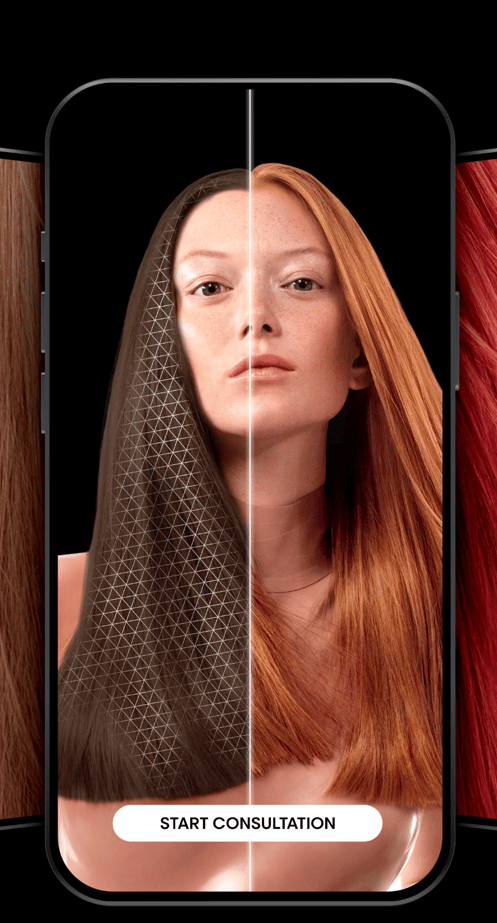
The app formerly published as Style My Hair is now My Hair [iD], and it is all about effortless hair experiments with L'Oréal Professionnel's own shade range. You take a selfie or upload a photo, and the app shows how a professional shade would sit on you. L'Oréal has a long-standing reputation for using augmented reality and artificial intelligence to enhance the customer experience, having acquired ModiFace in 2018 to build that expertise in house.
Features:
- L'Oréal Shade Range: Users can try on actual L'Oréal Professionnel hair colors from the in-app swatchbook.
- Selfie or Upload Try-On: Works from a fresh selfie or an existing photo.
- Built for Pros and Clients: Positioned for colorists running a consultation as well as for people planning a salon visit.
- Free Web Try-On: L'Oréal Professionnel also runs a browser-based virtual try-on that needs no app install.
- Salon Locator: The brand's salon finder makes it easy to locate L'Oréal Professionnel salons close by.
Cons:
- Limited to L'Oréal Professionnel shades, so less variety for general experimentation.
- It is a consultation tool first. If you want to see electric purple for fun, this is not the app.
Best Use Cases:
- Individuals who use or are considering L'Oréal Professionnel hair colors.
- Salon clients looking to visualize specific shades before a salon visit.
- Colorists who want a shared reference point with a client before mixing anything.
4. Garnier Virtual Try-On: Free Live Camera Try-On for At-Home Dye
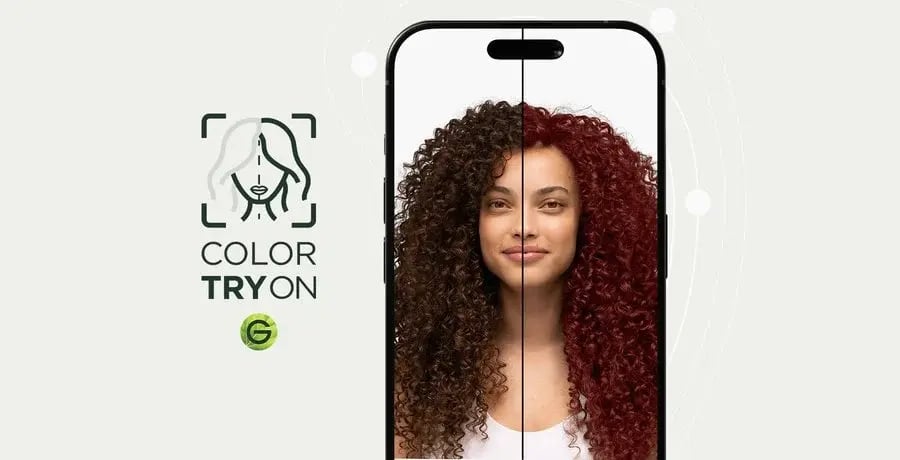
Garnier's virtual try-on runs in the browser with no app and no signup. Switch on the camera for a live preview or upload a selfie, then work through more than 80 Garnier shades until one clicks.
Features:
- Live Camera or Photo Try-On: Preview shades in real time or on an uploaded image.
- 80+ Real Product Shades: Every shade maps to a box you can actually buy.
- Compare Tool: Put two shades side by side instead of flicking between them.
- Shortlist and Email: Save favorites and send yourself the list before you get to the store.
- Hair-Type Flows: Separate paths for straight, curly, and men's hair.
Cons:
- Locked to Garnier's own range, so it is a shade finder for at-home dye rather than a creative color playground.
- Garnier is part of L'Oréal, the same parent company as My Hair [iD], so these two entries are not independent picks.
Best Use Cases:
- Shoppers choosing an at-home box dye who want to see it before buying.
- Anyone who wants a free live try-on without installing anything.
5. YouCam Makeup: The Comprehensive Beauty Suite
YouCam Makeup is a veteran in the beauty app space, known for its extensive range of features that go beyond just hair color. In 2026 Perfect Corp positions it as an AI beauty agent you can talk to in plain language, rather than a makeup camera.
Features:
- Live AR Hair Color: Real-time camera try-on, with one-color, multi-color and ombre options.
- Hair Color Changer: Intensity, coverage and blend controls plus a custom color picker.
- Custom Hair Try-On: Copy a look from a reference photo, with the option to keep your natural color.
- Photo Editing Mode: Users can upload existing photos and apply various hair colors.
- Other Beauty Features: Like makeup try-on solution, skin smoothing, face reshaping, and more.
Cons:
- Realism can sometimes be less nuanced than dedicated hair-focused tools.
- Some advanced features are hidden behind a paywall, and the price varies by region.
Best Use Cases:
- Casual users looking for a fun hair color changer and a general beauty editor.
- Social media enthusiasts who want to quickly experiment with different looks for photos and videos.
Key Factors We Considered When Choosing the Right AR Hair Color Tool
With so many AR hair color apps booming on the market, it’s easy to feel overwhelmed. Focus on these factors to find the one that truly transforms your look.
Factor 1: Realism and AI Accuracy
This is perhaps the most critical factor. A truly great AR hair color experience relies on sophisticated AI hair color algorithms that can accurately detect your hair, differentiate it from the background, and apply color in a way that looks natural. Look for:
- Hair Segmentation: How precisely does the app outline your hair? Does it get confused by stray strands or complex hairstyles?
- Movement Tracking: If you're using a live try-on, does the hair color stay consistent as you move your head?
- Texture and Shading: Is it just a solid color, or does it interact beautifully with your hair’s texture and light reflection?
Banuba, with its cutting-edge AI, stands out significantly in this area, offering unparalleled realistic try-on that is critical for genuine user confidence.
Factor 2: Color Options Variety
Do you want to stick to natural shades or explore the wildest fantasy colors?
- Selection: Does it offer options from gentle pastels to bold neons, plus layered, creative color effects?
- Customization: Can you adjust the intensity, vibrancy, or even mix custom shades?
- Brand Loyalty: Does the app let you try the exact shades from your favorite hair dye brand, like L'Oréal's professional palette or Garnier's at-home range?
Factor 3: Personalization Features
A truly smart at-home hair color tool goes beyond just applying color.
- AI Personalized Recommendations: Can artificial intelligence guide you toward the most flattering colors based on your unique look?
- Virtual Stylist: Can the app recommend hairstyles or cuts that suit your fresh color?
Factor 4: Live Try-On vs Photo editing
Both modes have their benefits, but from our point of view, live try-on offers a more dynamic and immersive experience.
- Live Try-On: It allows you to see the color change here and now, as you look at your device camera. Excellent for immediate feedback and interaction.
- Photo Editing: Uploading a photo allows for more precise adjustments and is ideal for carefully planning a look or creating content.
Many apps offer both, giving their users the flexibility they're looking for. Of the five above, Banuba, Garnier and YouCam Makeup do live camera try-on; Fotor is photo-only.
Tips for Choosing the Right App for You
Picking an AR hair color app has much in common with selecting a new hair shade, Why? Because we want both to suit you perfectly.
Tip 1: Start with your goal.
Salon tool? E-commerce solution? Or just a fun experiment at home? Each purpose calls for a different app.
Tip 2: Explore user reviews.
Read what real users say, too. This can save you from lots of unexpected surprises.
Tip 3: Test it on yourself.
Swipe through a few shades, watch how they catch light, mix with your highlights, and flow with every strand for the full effect.
Tip 4: Keep your device in mind.
Some apps run better on the latest phones or specific systems.
Tip 5: Look beyond the color.
Don’t stop at just hair. There are many apps that also include makeup try-ons, salon finders, shopping links, and beyond.
Tip 6: Check the app is still alive.
Hair apps churn faster than most. Fabby Look had 7.1 million downloads and still disappeared from Google Play in 2023. Before you build a habit around one, check the store listing has been updated in the last year.
Got the basics down? Great! Now it's all about finding the app that fits. Maybe it's just for fun, maybe it's prep for a salon appointment, or maybe it's for building a serious pro tool.
Conclusion
AR hair color has leveled up big time. From a fun little filter to a fully AI tool, it’s now a game-changer for consumers and beauty retailers alike. In 2026, these apps go beyond just color. They are about self-expression, fun, and exploration without any risk.
Looking ahead, AR hair color apps will only get more realistic, smarter, and easier to use on a daily basis. And Banuba is at the forefront, blending AR and AI to set the high standard for the industry.
One thing is already certain: an AR hair color changer is your no-risk ticket to exploring new styles. Try it, love it, and turn your favorite look into reality, right from your device.

References
AppBrain. (n.d.). Fabby Look - Hair color changer. AppBrain. https://www.appbrain.com/app/fabby-look-hair-color-changer/com.fabbyhair.android
Arsenova, A. (2024, December 5). How to build a virtual makeup app like YouCam: SDK or white label. Banuba. https://www.banuba.com/blog/how-to-develop-virtual-makeup-try-on-like-youcam-sdk-or-white-label
Banuba. (n.d.). Hair AI SDK & virtual hair try-on solutions. Banuba. https://www.banuba.com/hair-ai
Banuba. (n.d.). Virtual hair color try-on. Banuba. https://www.banuba.com/hair-color-changer
Fotor. (n.d.). AI hairstyle changer - Try haircuts & hair color online. Fotor. https://www.fotor.com/ai-hairstyle-changer/
Garnier. (2026, January 29). Virtual hair color try-on. Garnier USA. https://www.garnierusa.com/beauty-services-and-tools/virtual-try-on
Krasko, A. (2025a, March 6). Virtual try-on for e-commerce: AI technology, solutions & examples. Banuba. https://www.banuba.com/blog/full-guide-virtual-try-on
Krasko, A. (2025c, May 16). Virtual try-on for a Romanian hair color brand. Banuba. https://www.banuba.com/blog/virtual-try-on-for-a-romanian-hair-color-brand
Krasko, A. (2025d, August 4). 30% more MAUs and 54% more users for video conferencing app. Banuba. https://www.banuba.com/blog/30-more-maus-and-54-more-users-vroom-success-story
L'Oréal. (2018, March 16). L'Oréal acquires ModiFace, further expanding its worldwide expertise in beauty tech. L'Oréal Finance. https://www.loreal-finance.com/eng/news-release/loreal-acquires-modiface-further-expanding-its-worldwide-expertise-beauty-tech
L'Oréal Professionnel. (n.d.). My Hair [iD]. App Store. https://apps.apple.com/us/app/my-hair-id/id1447536482
Perfect Corp. (n.d.). Hair color changer. Perfect Corp. https://www.perfectcorp.com/consumer/features/hair-color-changer
Perfect Corp. (n.d.). YouCam Makeup. Perfect Corp. https://www.perfectcorp.com/consumer/apps/ymk
Rohachuk, T. (2025, August 8). Best hair segmentation SDKs for apps. Banuba. https://www.banuba.com/blog/best-hair-segmentation-sdk
-
From our tests, Banuba-powered apps deliver the most realistic live previews. Banuba's technology tracks individual strands and lighting in real time, so colors look natural as you move, and the same stack drives its virtual hairstyle try-on. My Hair [iD] and YouCam Makeup are good too, but Banuba sets the gold standard for realism.
-
Apps built on AI personalization analyze skin tone and facial features to suggest shades that complement your look, which makes bold or subtle colors appear more natural rather than a flat overlay. Banuba does this through hair color analysis and seasonal color analysis; Fotor applies undertone-based recommendations to its generated results.
-
No app can guarantee a perfect match, but the top AR tools give a very close preview. Apps built on Banuba's hair segmentation and brand tools like My Hair [iD] and Garnier's try-on offer the most trustworthy results, because their shades map to real products. For best results, combine the app's virtual try-on with professional advice or strand tests if trying extreme colors.
-
It depends on the tool, and it is worth checking before you enable the camera. Banuba's hair try-on runs entirely on the user's device and does not gather, transmit, or store user data, which is why beauty brands that integrate the Hair AI SDK can offer try-on without adding a data-handling step. Generative tools that render on their own infrastructure necessarily upload your image.
-
Try these simple tricks:
-
Light it right: Use soft, natural lighting. Avoid shadows and strong backlight.
-
Hair positioning: Temporarily tying hair back can help the AI identify its shape and boundaries.
-
Quality photo: Clear, high-resolution images improve the app's precision.
Banuba's AI hair type identifier does some of this work for you, classifying curl pattern, texture, and density so the recommendation fits the hair it is actually looking at.
-
-
It depends on how you buy it. Banuba sells hair color try-on in two ways: the Shopify app, where hair dye is one of the supported categories and plans are billed monthly, and a custom integration quoted on monthly try-on sessions, categories, and customization. The Banuba TINT virtual try-on pricing guide lists the current Shopify plans and what each one includes.