

[navigation]
TL;DR:
- Collapsible timelines gives more screen space for editing videos, making the process more convenient;
- Single entry point to the SDK and builder-based setup speeds up integration;
- Light theme support (currently in beta) and expanded accessibility options make editing videos more fun.
The latest version of Banuba Video Editor SDK focuses on ease of use for developers and regular users alike. With cool new features and visual improvements, it provides the smoothest experience to date.
Collapsible timelines
As the name suggests, this feature lets users hide and expand the timelines of clips and effects whenever they want. It is a quick and intuitive way to move from a birds-eye view to editing a specific section of a video.
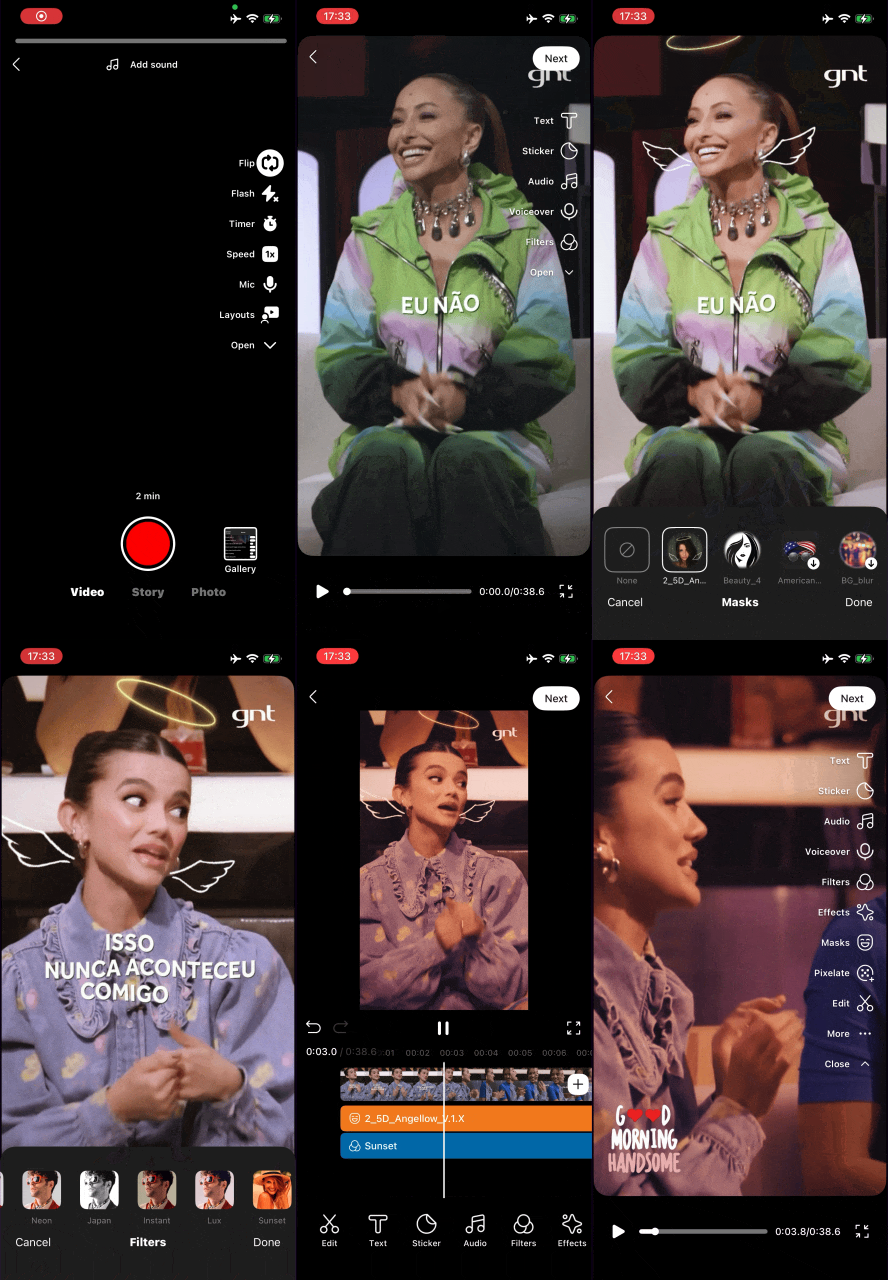
Collapsible timelines are available for the new Editor UI. Ask your customer success manager to learn more or message us if you are interested.
Simplified integration
Integration speed has always been a key strength of the Video Editor SDK. Even the legacy process could be completed in about 8 minutes. Now our developers have made a few architectural changes to speed up the process even more.
- Single entry point. Now launching the editor, configuring exports, and handling callbacks are done through VideoEditorSDK.
- Builder-based setup. You can configure the editor UI, camera, features, and music provider in one place.
As a result, integrating and fine-tuning the SDK for your app is easier than ever. We’ve also updated the Agent skills for those who prefer to let AI handle the integration.
The future updates will target this new and improved process. But it doesn’t mean the old integration will stop working, so migration is optional.
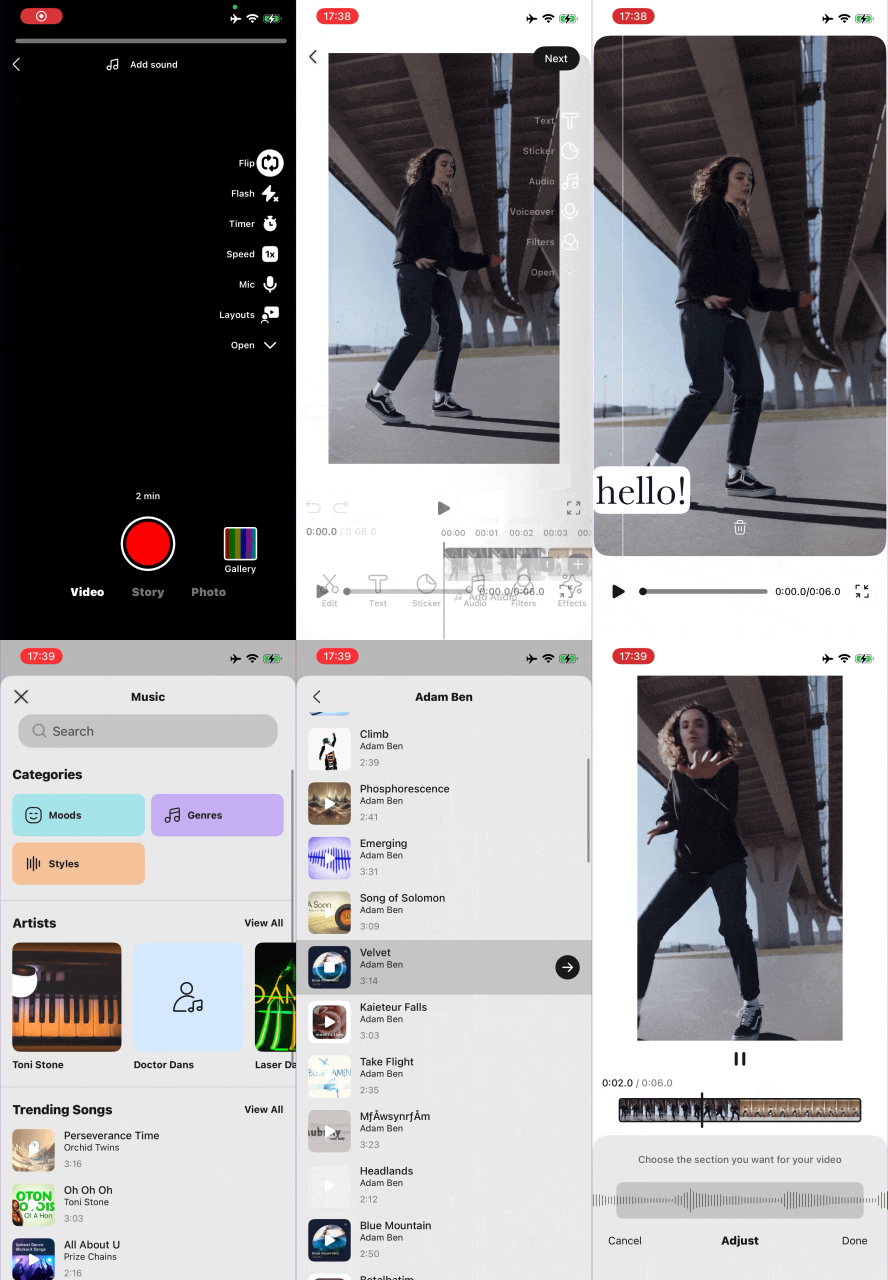
Light theme (beta)
The dark theme has been (and still is) the default option for Video Editor SDK. However, you can now opt-in to the light one through BNBDesignSystem . This feature is currently in beta, and is only available for the new video editor UI.
Improved accessibility
We have expanded the VoiceOver support and accessibility labels to a host of new elements: Camera, Gallery, Video Editor V2, and Photo Editor. In addition, we’ve improved the controls for stickers and overall editing.
Don't hesitate to reach out to us and try Video Editor SDK for free.
