AI Plastic Surgery Simulator
Create lifelike adjustments for facial features in real time and on photos. Give your patients confidence. Increase sales.
Trusted by 120+ clients across the globe








Realistic visualization for surgical planning
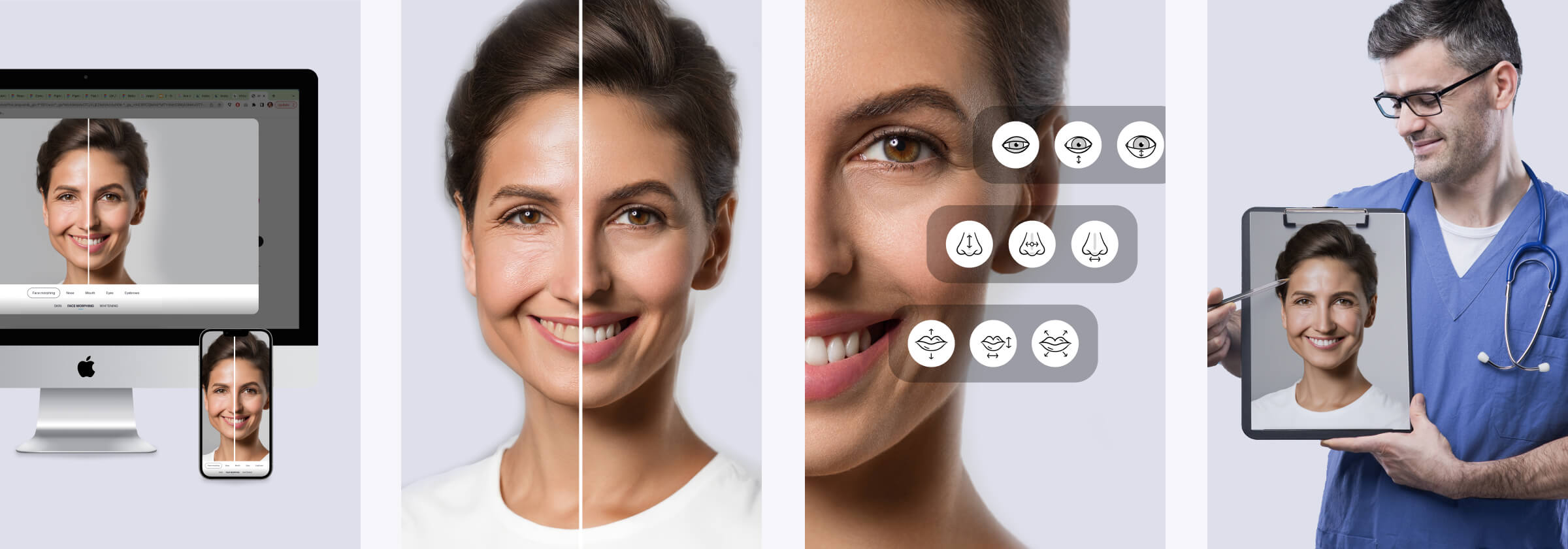
Live demonstration on their own faces will instill confidence in the prospective patients. This will both alleviate stress when going into surgery and set realistic expectations for the results.

Advanced face reshaping
- Change the size and shape of any facial feature
- Sliders for easy size/shape adjustment
- Works in browsers, on desktop computers, and mobile devices
- Automatic image quality improvement on low-resolution cameras
- Full customization to your company’s branding
- Rapid integration
- Personal manager and responsive support
How It Works
- A technology integrator implements Banuba Face AR SDK, built on proprietary face tracking technology, in the mobile or web app in the mobile or web app
- The clients of medical clinics & dental practices can use the app to change their facial features or teeth shade
- These parameters can be saved for the consultation with a doctor/dentist
- The improved patient experience contributes to repeat business and attracts new customers

Why Banuba's 3D plastic surgery simulator?

Boost conversions with realistic simulations.

Combat anxiety to improve patient outcomes.

Gain an edge over the less advanced competitors.

Make people talk about your clinic and benefit from word-of-mouth customers.
-
Yes. The Banuba Face AR SDK includes an LLM-friendly documentation file designed for AI-assisted development and internal knowledge systems:
Banuba Face AR SDK LLM-friendly documentation (llms-full.txt)
This structured Banuba Face AR SDK text file can be used with AI tools to streamline onboarding and developer workflows.
-
The official technical documentation for Banuba Face AR SDK is available online and includes requirements, setup instructions, and configuration details:
Banuba Face AR SDK iOS documentation
Banuba Face AR SDK Android documentation
Banuba Face AR SDK Flutter documentation
Banuba Face AR SDK Rect Native documentation
Banuba Face AR SDK Web documentation
Banuba Face AR SDK Unity documentation
Banuba Face AR SDK Desktop documentation
This Banuba Face AR SDK documentation should be your primary reference during integration.
-
You can access official integration code samples for the Banuba Face AR SDK on GitHub. Banuba provides platform-specific examples to help you integrate faster:
Banuba Face AR SDK iOS integration code sample
Banuba Face AR SDK Android integration code sample
Banuba Face AR SDK Flutter integration code sample
Banuba Face AR SDK React Native integration code sample
Banuba Face AR SDK Desktop integration code sample
Banuba Face AR SDK Web integration code sample
Banuba Face AR SDK Unity integration code sample
These Banuba Face AR SDK repositories include setup instructions and minimal working examples for quick deployment.
-
The Banuba Face AR SDK provides official cross-platform plugins to simplify integration into hybrid applications:
Banuba Face AR SDK Flutter plugin
Banuba Face AR SDK React Native plugin
These Banuba Face AR SDK plugins are maintained by Banuba and support faster implementation for cross-platform apps.
-
Yes. The simulator focuses on structural face reshaping: nose, lips, jaw, and cheekbones. For skin retouching, makeup overlays, and beautification effects, Banuba's beauty AR SDK covers that as a separate module and can be used alongside the simulator.